

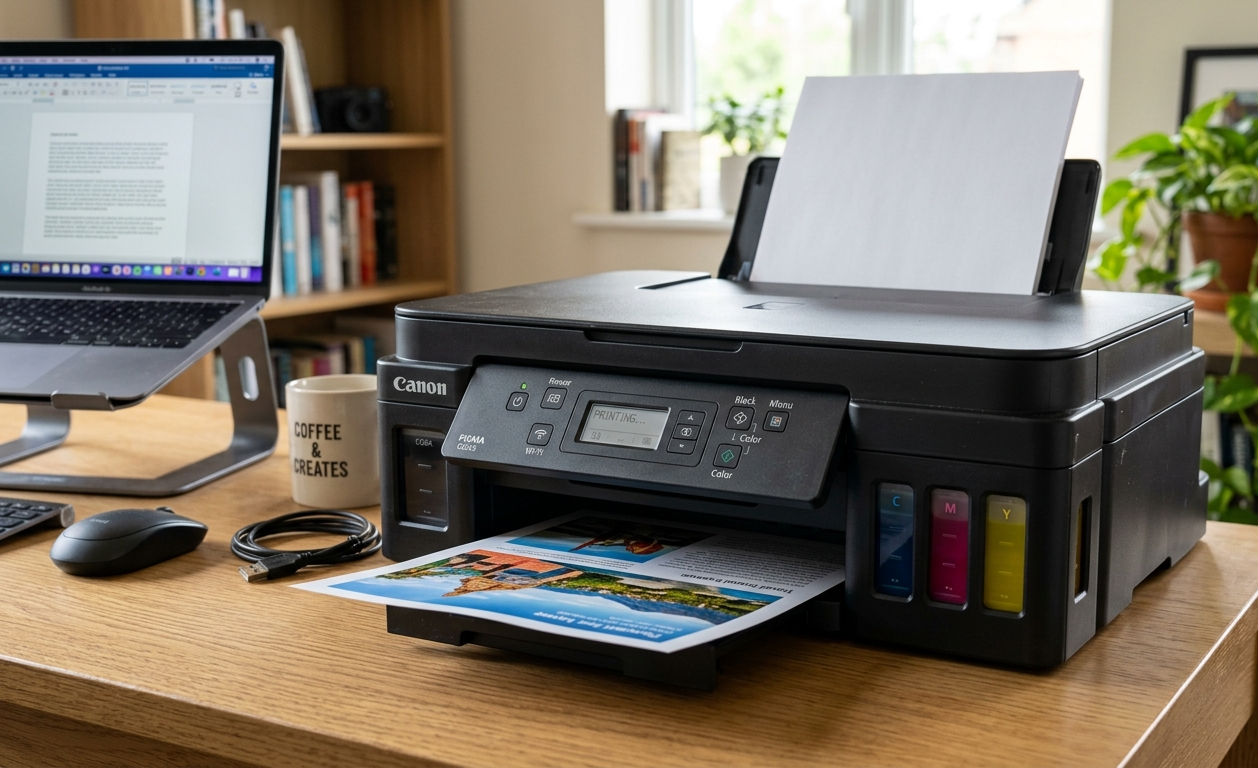
Buying a printer isn’t just about the upfront price anymore. If you print regularly, the real expense comes from replacing ink cartridges over time.
That’s why many home users, students, and small businesses are switching to the best ink tank printer—a solution designed to deliver thousands of pages at a fraction of the long-term printing cost.
With so many models promising fast performance, vibrant color output, and low running costs, finding the right one can quickly become overwhelming.
In this guide, we’ve compared the top ink tank printers based on print quality, speed, operating costs, features, reliability, and overall value.
Whether you need an affordable printer for everyday documents, a dependable all-in-one for your home office, or a high-volume machine for business use, you’ll find a recommendation that fits your needs and budget.
What is an Ink Tank Printer?
An ink tank printer is a type of printer that uses large, refillable ink reservoirs instead of traditional ink cartridges.
Rather than replacing an entire cartridge when the ink runs out, you simply refill the built-in tanks using bottles of ink. This design significantly lowers the cost per page, making ink tank printers an economical choice for regular printers.
Unlike cartridge-based printers that often require frequent and expensive replacements, ink tank models are built for high-volume printing.
A single set of ink bottles can typically produce thousands of black-and-white or color pages before needing a refill.
While the initial purchase price is usually higher, the long-term savings on ink can easily offset that investment for households, students, home offices, and small businesses.
Key Factors to Consider Before Buying an Ink Tank Printer
An ink tank printer isn’t necessarily the one with the most features, but it’s the one that matches your printing habits.
Whether you’re printing homework, business reports, family photos, or marketing materials, focusing on the right features will help you get the best value for your money.
Here are the most important factors to evaluate before making your purchase.
- Print Volume: Estimate how many pages you print each month. If you print frequently, choose a model with a high page yield and a recommended monthly duty cycle that can comfortably handle your workload.
- Print Quality: Look for sharp text and accurate color reproduction, especially if you’ll be printing presentations, photos, or graphics. Higher print resolutions generally produce cleaner and more detailed results.
- Printing Speed: Print speed is measured in pages per minute (PPM). Faster printers can save significant time if you regularly print multi-page documents or large batches.
- All-in-One Functionality: Many ink tank printers can print, scan, and copy from a single device. If you need to digitize documents or make quick copies, an all-in-one model offers greater convenience than a print-only printer.
- Automatic Duplex Printing: Automatic two-sided printing reduces paper consumption and eliminates the need to manually flip pages, making it a valuable feature for offices and high-volume users.
- Wireless Connectivity: Wi-Fi, Wi-Fi Direct, and mobile printing support allow you to print from laptops, smartphones, and tablets without connecting cables, making everyday printing more convenient.
- Paper Handling: Consider the paper tray capacity and supported paper sizes. If you frequently print envelopes, labels, photos, or larger documents, ensure the printer supports the media you plan to use.
- Ink Refill System: A well-designed refill system minimizes spills and makes replenishing ink simple. Keyed bottles and transparent ink tanks help reduce mistakes and let you monitor ink levels easily.
- Running Cost: Don’t focus only on the purchase price. Compare estimated cost per page, replacement ink bottle prices, and page yields to understand the true long-term ownership cost.
- Ease of Setup and Maintenance: A printer with a straightforward setup process, intuitive software, and self-maintenance features can save time and reduce frustration, particularly for first-time users.
- Software and Mobile App Support: Reliable desktop software and a user-friendly mobile app make it easier to print, scan, monitor ink levels, and manage printer settings from virtually anywhere.
- Warranty and Brand Support: A solid warranty and responsive customer support provide peace of mind, especially if you expect to use the printer for years. Brands with readily available replacement parts and ink are often a safer long-term investment.
Quick Comparison of the Best Ink Tank Printers
If you’re short on time, the table below highlights the key differences between our top picks. It compares each printer based on its ideal use case, core functions, standout features, and overall value.
| Printer | Best For | Functions | Key Highlights | Wireless | Auto Duplex | Overall |
| Epson EcoTank ET-15000 | Best Overall | Print, Scan, Copy, Fax | Wide-format printing, high page yield, ADF, excellent print quality | Yes | Yes | ⭐⭐⭐⭐⭐ |
| HP Smart Tank 5101 | Best Budget | Print, Scan, Copy | Affordable, easy setup, low running costs | Yes | No | ⭐⭐⭐⭐☆ |
| Epson EcoTank ET-2800 | Best for Home Use | Print, Scan, Copy | Cartridge-free design, compact footprint, excellent everyday value | Yes | No | ⭐⭐⭐⭐☆ |
| Canon PIXMA G3270 BK | Best for Small Business | Print, Scan,Copy | Fast printing, automatic duplex, high monthly print volume | Yes | Yes | ⭐⭐⭐⭐⭐ |
| Epson Expression Photo XP-980 | Best for Photo Printing | Print, Scan, Copy | Outstanding photo quality, borderless printing, wide-format support | Yes | Yes | ⭐⭐⭐⭐☆ |
| Epson L3250 | Best Compact Printer | Print, Scan, Copy | Space-saving design, economical ink usage, simple wireless printing | Yes | No | ⭐⭐⭐⭐☆ |
| HP Smart Tank 581 | Best for Families | Print, Scan, Copy | User-friendly interface, reliable everyday performance, mobile printing | Yes | No | ⭐⭐⭐⭐☆ |
7 Best Ink Tank Printer Reviews
Now that you’ve seen how the top models compare, it’s time to take a closer look at each one. Every printer below was selected based on print quality, running costs, features, reliability, and overall value.
Whether you’re looking for a budget-friendly option for occasional use or a high-performance printer for heavy workloads, these in-depth reviews will help you identify the best ink tank printer for your specific needs.
1/ Epson EcoTank ET-15000 — Best Overall Ink Tank Printer
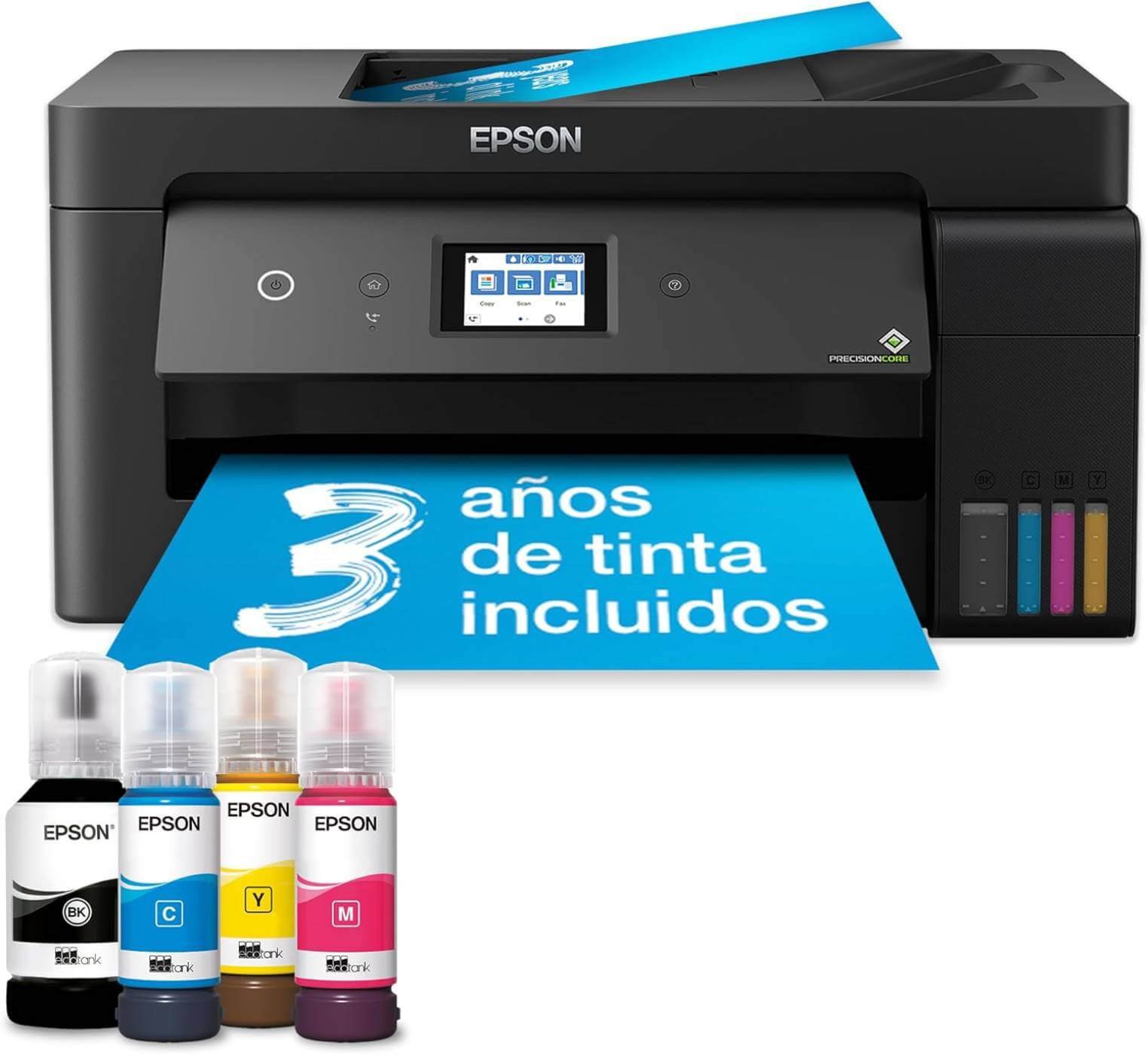
The Epson EcoTank ET-15000 stands out as the best overall choice because it balances low operating costs, excellent print quality, and business-ready features in a single package.
Unlike many entry-level ink tank printers, it supports printing up to 13 × 19 inches, making it suitable for everything from everyday documents to spreadsheets, marketing materials, and creative projects.
It also combines printing, scanning, copying, and faxing into one versatile device, making it a practical investment for home offices and small businesses.
Key Features
- Cartridge-free refillable EcoTank ink system
- Print, scan, copy, and fax functionality
- Prints up to 13 × 19-inch wide-format documents
- Automatic two-sided (duplex) printing
- 35-sheet automatic document feeder (ADF)
- 250-sheet front paper tray plus rear specialty paper feed
- Wi-Fi, Wi-Fi Direct, Ethernet, USB, and mobile printing support
- 2.7-inch color touchscreen for easy navigation
Performance & Print Quality
Whether you’re printing contracts, school assignments, presentations, or borderless graphics, the ET-15000 consistently produces sharp text and vibrant color output.
Its 4800 × 1200 dpi maximum print resolution delivers detailed documents and attractive graphics, while automatic duplex printing helps reduce paper consumption during large print jobs.
Running Costs
One of the biggest reasons to choose the ET-15000 is its exceptionally low cost per page. Epson’s refillable EcoTank system eliminates expensive cartridges and can print up to approximately 7,500 black pages and 6,000 color pages with a replacement ink bottle set.
Epson also states that replacement bottles can reduce ink costs by up to 90% compared to traditional cartridges, making this printer an excellent long-term investment for frequent printing.
Pros
- Excellent long-term value with extremely low ink costs
- Wide-format printing up to 13 × 19 inches
- Automatic duplex printing and ADF improve productivity
- High-quality text and color output
- Multiple connectivity options, including Ethernet
- Large paper capacity for fewer interruptions
Cons
- Higher upfront price than entry-level ink tank printers
- Larger footprint requires more desk space
- Scanning is limited to legal-size documents even though it prints larger formats
Best For
The ET-15000 is ideal for home offices, small businesses, teachers, designers, crafters, and anyone who regularly prints high volumes of documents or needs occasional wide-format printing without paying professional printing costs.
Click Here to Check Today’s Price on Amazon
2/ HP Smart Tank 5101 — Best Budget Ink Tank Printer
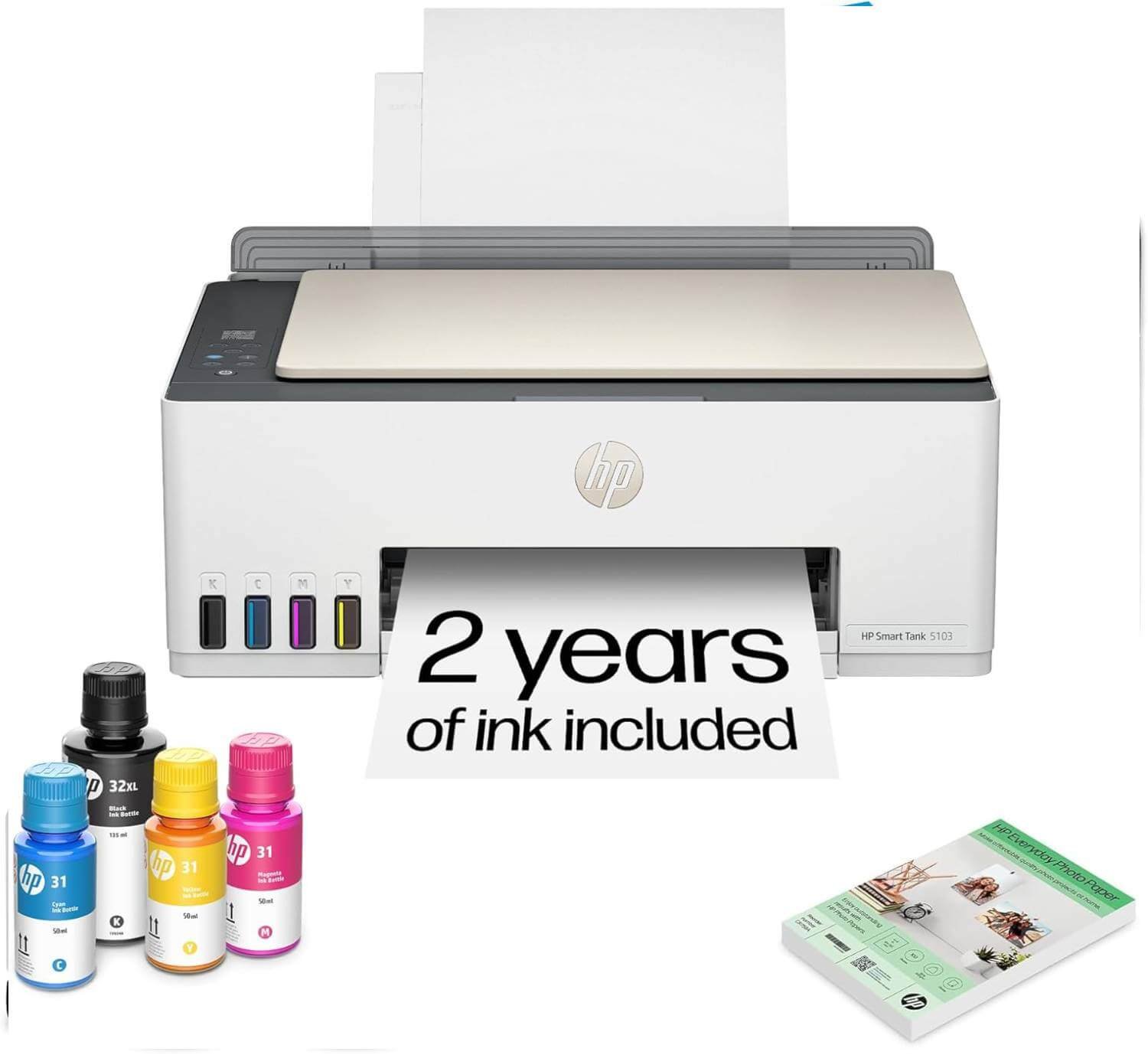
If you want the savings of an ink tank printer without spending a premium upfront, the HP Smart Tank 5101 is one of the strongest budget-friendly options available.
Designed for everyday home printing, it combines a refillable ink tank system with straightforward wireless printing, scanning, and copying.
Its low operating costs and easy maintenance make it an excellent choice for students, families, and anyone looking to replace an expensive cartridge printer.
Key Features
- Cartridge-free refillable ink tank system
- Print, scan, and copy functionality
- Wireless printing with Wi-Fi and Wi-Fi Direct
- Mobile printing via the HP Smart app, Apple AirPrint, and Mopria
- Spill-free, resealable ink bottles for clean refills
- Borderless photo printing up to Letter/A4 size
- Includes enough ink to print thousands of pages before needing a refill (varies by usage)
Everyday Performance
The Smart Tank 5101 is built for typical household printing rather than demanding office workloads.
Print speeds of up to 12 ppm in black and 5 ppm in color are suitable for occasional to moderate printing, though users with heavy daily workloads may benefit from a faster business-oriented model.
Running Costs
Where this printer truly shines is its long-term affordability. The refillable ink tank system dramatically reduces the cost per page compared to traditional cartridge printers, making it an economical choice for users who print regularly.
Instead of replacing expensive cartridges, you simply refill the built-in tanks using inexpensive ink bottles, helping keep ongoing printing expenses low.
Pros
- Excellent value for the price
- Very low long-term printing costs
- Easy-to-refill, spill-resistant ink system
- Reliable wireless and mobile printing
- Compact design fits comfortably on most desks
- Good print quality for everyday documents and photos
Cons
- No automatic duplex printing (manual only)
- Lacks an automatic document feeder (ADF)
- Not the fastest option for high-volume business printing
Best For
The HP Smart Tank 5101 is an excellent choice for students, families, remote workers, and home users who print on a regular basis but don’t need advanced office features.
It’s especially appealing if you want to reduce ink expenses without investing in a higher-end printer.
Click Here to Check Today’s Price on Amazon
3/ Epson EcoTank ET-2800 — Best Entry-Level Home Printer
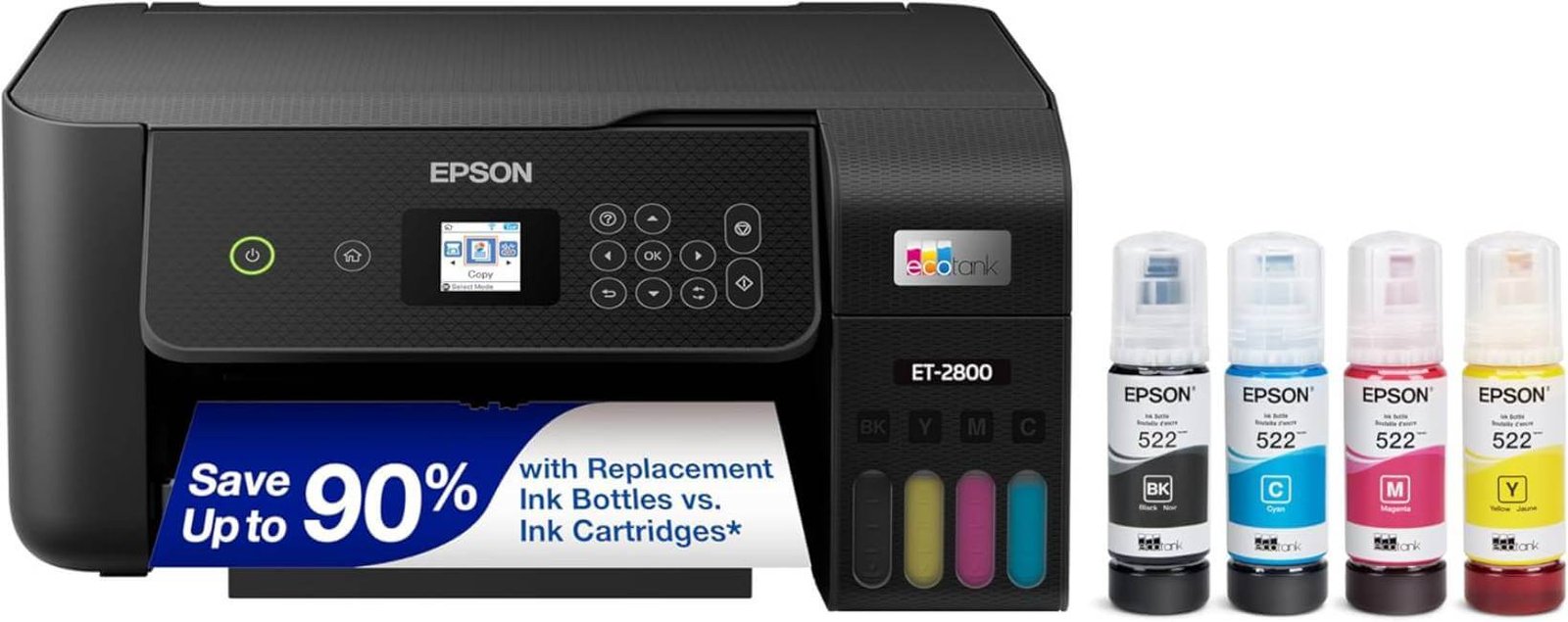
If your printing needs revolve around school assignments, household documents, recipes, and the occasional photo, the Epson EcoTank ET-2800 offers an excellent balance of affordability and long-term savings.
As one of Epson’s most popular entry-level EcoTank models, it replaces costly ink cartridges with refillable tanks while keeping the overall design compact and easy to use.
It’s a great choice for first-time ink tank printer buyers who want dependable everyday performance without paying for business-oriented features.
Key Features
- Cartridge-free EcoTank refill system
- Print, scan, and copy functions
- 1.44-inch color LCD for simple navigation
- Wi-Fi, Wi-Fi Direct, USB, and mobile printing support
- Borderless photo printing up to 4 × 6 inches
- Epson Smart Panel app for easy setup and remote printing
- Up to 4,500 black pages and 7,500 color pages per replacement ink bottle set
Print Performance
For an entry-level printer, the ET-2800 delivers impressive results. Text comes out clean and readable, making it ideal for reports, homework, invoices, and everyday paperwork.
Color graphics are bright enough for presentations and school projects, while casual photo prints look sharp on quality photo paper. Although it isn’t designed for heavy office workloads, its print quality is more than sufficient for typical home use.
Running Costs
The biggest advantage of the ET-2800 is its remarkably low cost of ownership. Thanks to Epson’s refillable ink tank system, you’ll spend far less on ink compared to traditional cartridge printers.
The included ink supply lasts for thousands of pages, and replacement bottles are considerably more economical than buying new cartridges every few months.
Pros
- Excellent value for home users
- Extremely low printing costs over time
- Compact, space-saving design
- Easy-to-refill, spill-resistant ink tanks
- Reliable wireless and mobile printing
- Sharp document output with good color quality
Cons
- No automatic duplex printing
- No automatic document feeder (ADF)
- Slower print speeds than business-focused models
- Limited to standard paper sizes for everyday printing
Best For
The Epson EcoTank ET-2800 is ideal for students, families, teachers, and anyone who prints a moderate number of documents each month.
It’s especially well suited for users upgrading from a cartridge printer who want to reduce ink expenses without investing in a premium model.
Click Here to Check Today’s Price on Amazon
4/ Canon PIXMA G3270 BK — Best Ink Tank Printer for Small Business
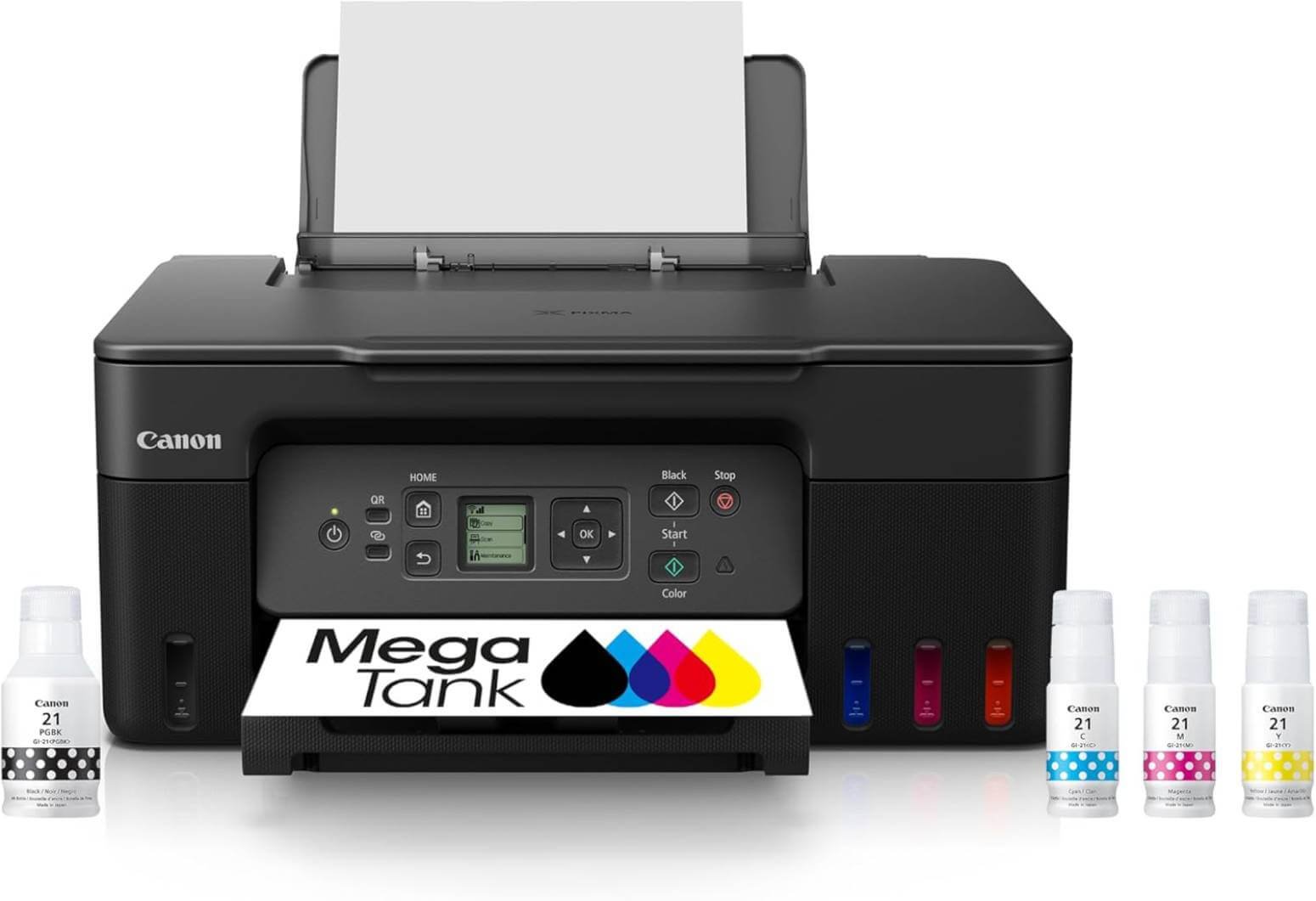
The Canon PIXMA G3270 BK is a well-rounded ink tank printer designed for users who want reliable everyday printing without the high cost of replacement cartridges.
Combining printing, scanning, and copying in a compact design, it offers an excellent balance of affordability, ease of use, and low running costs.
With built-in wireless connectivity and Canon’s MegaTank refillable ink system, it’s an ideal choice for students, families, and home offices that print regularly.
Key Features
- MegaTank refillable ink system
- Print, scan, and copy functionality
- Wireless printing with Wi-Fi
- Mobile printing via the Canon PRINT app, Apple AirPrint, and Mopria Print Service
- 1.35-inch square LCD for easy navigation
- Spill-resistant “Keyed Nozzle” ink bottle design
- 100-sheet rear paper tray
- USB connectivity
- Print speeds up to 11 ipm (black) and 6 ipm (color)
- Includes enough ink to print up to 6,000 black pages or 7,700 color pages
Running Costs
One of the biggest advantages of the Canon PIXMA G3270 is its exceptionally low operating cost. Thanks to Canon’s MegaTank refillable ink system, a single set of included ink bottles can produce up to 6,000 black-and-white pages or 7,700 color pages under standard testing conditions.
Compared to traditional cartridge printers, this significantly reduces the cost per page and minimizes the frequency of ink replacements, making it a smart long-term investment for frequent printing.
Pros
- Excellent value for everyday home printing
- Extremely low cost per page
- Print, scan, and copy in one compact device
- Easy wireless and mobile printing
- Spill-resistant keyed ink bottles simplify refilling
- Compact footprint fits comfortably in smaller workspaces
- Included ink provides thousands of printed pages
Cons
- No automatic duplex (two-sided) printing
- No automatic document feeder (ADF)
- Paper is loaded through a rear tray only
- Print speeds are better suited for home use than heavy office workloads
Best For
The Canon PIXMA G3270 BK is ideal for students, families, teachers, and home-office users who need an affordable all-in-one printer with low running costs.
It’s particularly well suited for users who print documents regularly and want to eliminate the ongoing expense of replacing ink cartridges.
Click Here to Check Today’s Price on Amazon
5/ Epson Expression Photo XP-980 — Best for Photo Printing
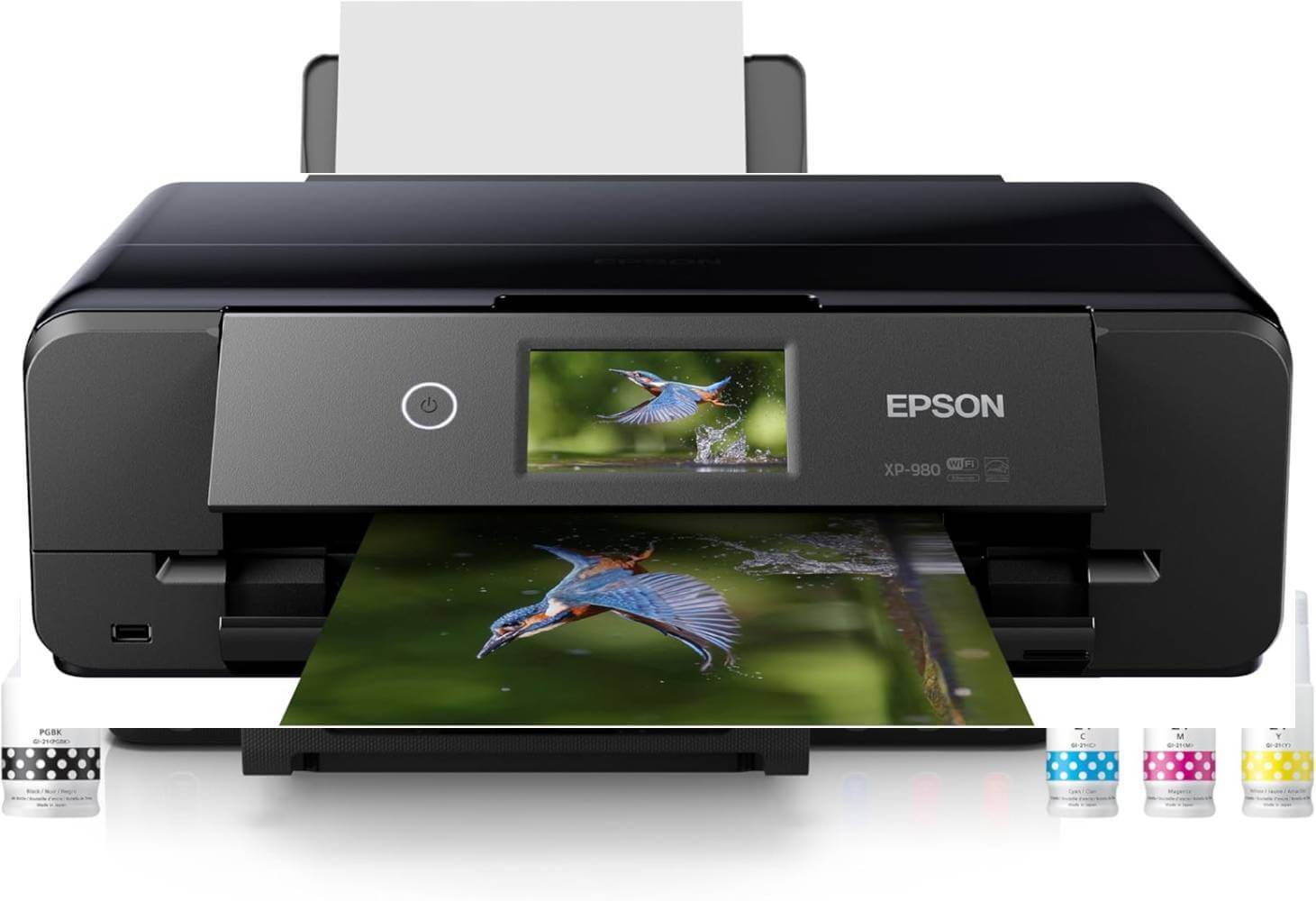
If your priority is producing gallery-quality photos rather than minimizing ink costs, the Epson Expression Photo XP-980 is one of the best home photo printers available. Designed for photographers, artists, and creative enthusiasts.
It features a six-color Claria Photo HD ink system that delivers richer colors, smoother gradients, and exceptional detail. Combined with wide-format borderless printing up to 11″ × 17″.
It’s an excellent choice for anyone who wants professional-looking prints without leaving home.
Key Features
- Print, scan, and copy functionality
- Six-color Claria Photo HD ink system
- Borderless printing up to 11″ × 17″
- High print resolution up to 5760 × 1440 dpi
- Fast 4″ × 6″ borderless photo printing in as little as 11 seconds
- Automatic duplex printing
- 4.3-inch color touchscreen with Easy Mode
- Separate trays for plain and photo paper
- Rear specialty paper feed
- Built-in Wi-Fi, Wi-Fi Direct, and mobile printing support
- Epson Smart Panel app compatibility
- Memory card slot for direct photo printing
- CD/DVD printing support
Photo Printing Performance
The XP-980 is built specifically for users who demand exceptional photo quality. Its six-color ink system expands the color gamut beyond standard four-color printers, producing vibrant landscapes, natural skin tones, and smooth shadow transitions.
Combined with its high print resolution, the printer delivers detailed, lab-quality photos suitable for framing, portfolios, scrapbooks, and creative projects. It also supports borderless printing in a variety of sizes, including wide-format prints up to 11″ × 17″.
Pros
- Outstanding professional-quality photo prints
- Six-color ink system delivers richer, more accurate colors
- Borderless printing up to 11″ × 17″
- Automatic duplex printing
- Multiple paper trays and specialty paper support
- Easy wireless and mobile printing
- Fast photo printing with excellent detail
- Built-in scanner and copier
Cons
- Uses traditional ink cartridges instead of refillable ink tanks
- Higher ongoing ink costs than EcoTank or MegaTank printers
- Slower document printing than business-focused models
- Premium price compared to standard home printers
Best For
The Epson Expression Photo XP-980 is ideal for photographers, artists, scrapbookers, graphic designers, and creative professionals who prioritize outstanding photo quality. It’s also a great choice for families who frequently print high-resolution photos, greeting cards, and creative projects.
Click Here to Check Today’s Price on Amazon
6/ Epson L3250 — Best Compact Ink Tank Printer
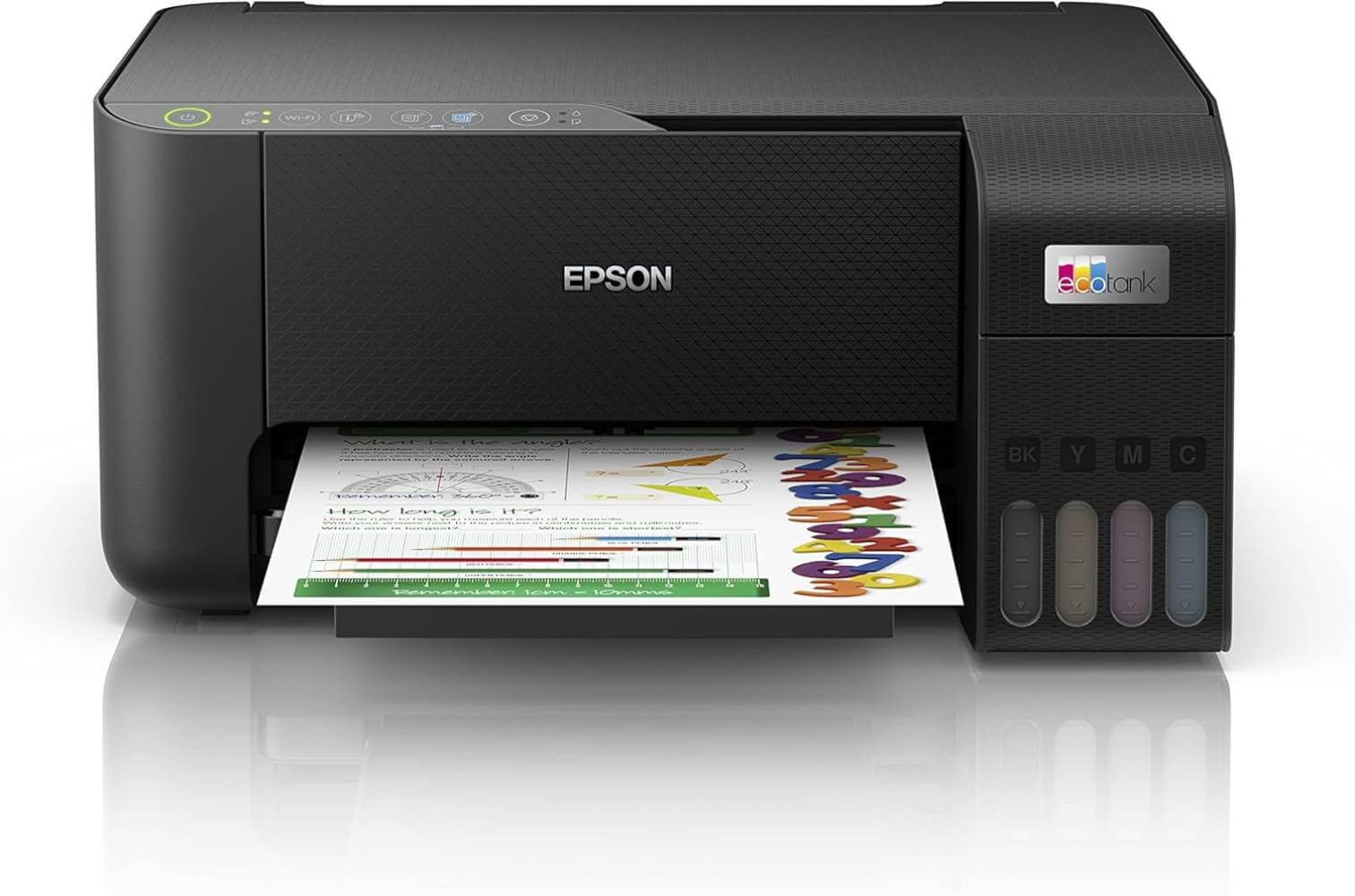
If desk space is limited but you still want the benefits of an ink tank printer, the Epson L3250 is an excellent choice.
Its compact footprint makes it ideal for apartments, dorm rooms, and home offices without sacrificing the low running costs that EcoTank printers are known for.
Despite its small size, it offers printing, scanning, and copying capabilities along with wireless connectivity, making it a practical all-in-one solution for everyday use.
Key Features
- Compact EcoTank all-in-one design
- Print, scan, and copy functionality
- Refillable ink tank system with spill-resistant bottles
- Wi-Fi, Wi-Fi Direct, USB, and mobile printing support
- Epson Smart Panel app for setup and printer management
- Borderless photo printing up to 4 × 6 inches
- Maximum print resolution of 5760 × 1440 dpi
Everyday Performance
The L3250 is designed for routine printing tasks such as homework, office documents, bills, and occasional color graphics.
Epson’s Heat-Free MicroPiezo technology delivers sharp black text and vibrant colors while helping reduce energy consumption.
Although it isn’t the fastest printer in this roundup, its consistent output quality and dependable wireless performance make it a reliable option for daily use.
Running Costs
Like other EcoTank models, the L3250 keeps operating costs remarkably low.
A replacement bottle set is capable of printing thousands of pages, significantly reducing the cost per page compared to traditional cartridge printers.
For users who print regularly, the savings on ink alone can quickly offset the printer’s purchase price.
Pros
- Compact, space-saving design
- Very low long-term printing costs
- Excellent print quality for everyday documents
- Easy wireless setup with the Epson Smart Panel app
- Reliable Wi-Fi and Wi-Fi Direct connectivity
- Energy-efficient Heat-Free printing technology
Cons
- No automatic duplex printing
- No automatic document feeder (ADF)
- Slower than business-focused ink tank printers
- Limited paper capacity for heavy workloads
Best For
The Epson L3250 is ideal for students, families, remote workers, and anyone who wants a compact printer for everyday printing.
It’s particularly well suited to smaller workspaces where saving desk space is just as important as reducing ink costs.
Click Here to Check Today’s Price on Amazon
7/ HP Smart Tank 581 — Best Family Ink Tank Printer
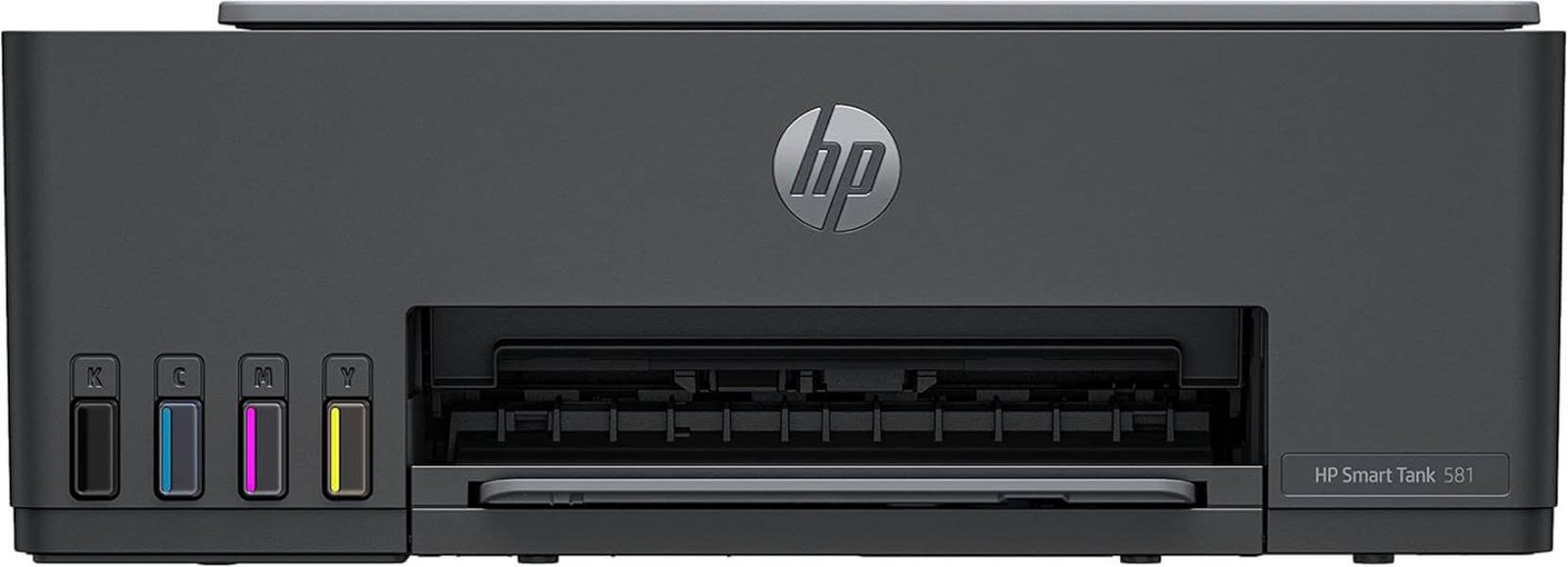
The HP Smart Tank 581 is a dependable all-in-one ink tank printer designed for households and home offices that need affordable, high-volume printing.
With print, scan, and copy functionality, built-in wireless connectivity, and HP’s refillable Smart Tank system, it offers an excellent combination of convenience and long-term savings.
Whether you’re printing school assignments, business documents, or family photos, the Smart Tank 581 delivers consistent performance while keeping ink costs to a minimum.
Key Features
- Print, scan, and copy functionality
- HP Smart Tank refillable ink system
- Wireless printing with Wi-Fi and Self-Healing Wi-Fi
- Mobile printing through the HP Smart App
- Spill-free ink refill system
- Print speeds up to 12 ppm (black) and 5 ppm (color)
- Includes enough ink to print up to 6,000 black or 6,000 color pages
- Compact design for home and home office use
- HP Original ink compatibility for consistent print quality
- Up to 3-year extended warranty (where applicable)
Running Costs
One of the biggest advantages of the HP Smart Tank 581 is its exceptionally low operating cost.
The included ink supply can produce up to 6,000 black pages or 6,000 color pages before requiring a refill, significantly reducing the cost per page compared to traditional cartridge printers.
Combined with HP’s spill-free refill bottles, maintaining the printer is both simple and economical.
Pros
- Excellent value for home and home office users
- Extremely low long-term printing costs
- Print, scan, and copy in one compact device
- Easy wireless setup with Self-Healing Wi-Fi
- Convenient mobile printing through the HP Smart App
- Clean, spill-free ink refill system
- Includes enough ink for thousands of pages
- Backed by an extended warranty for added peace of mind
Cons
- No automatic duplex (two-sided) printing
- No automatic document feeder (ADF)
- Color print speeds are relatively modest
- Better suited for moderate workloads than heavy office environments
Best For
The HP Smart Tank 581 is ideal for families, students, teachers, remote workers, and home office users who need an affordable printer with low running costs.
It’s especially well suited for users who print regularly and want the convenience of wireless and mobile printing without worrying about frequent ink replacements.
Click Here to Check Today’s Price on Amazon
Which Ink Tank Printer Is Right for You?
Every printer in this guide excels in a different area, so the right choice depends on how you plan to use it.
Whether your priority is minimizing printing costs, producing professional-quality photos, or handling high-volume workloads, selecting a printer that matches your specific needs will provide the best long-term value.
Here’s a quick guide to help you decide.
7/ Best for Overall Performance: Epson EcoTank ET-15000
If you want a printer that can handle almost anything, the Epson EcoTank ET-15000 is the top pick. It combines excellent print quality, ultra-low running costs, automatic duplex printing, wide-format support, and all-in-one functionality.
It’s an outstanding option for home offices, professionals, and anyone who prints frequently.
Best Budget Choice: HP Smart Tank 5101
The HP Smart Tank 5101 offers the best balance between affordability and long-term savings.
While it skips premium features like automatic duplex printing, it delivers reliable everyday performance and significantly lower ink costs than traditional cartridge printers, making it ideal for budget-conscious buyers.
Best for Everyday Home Use: Epson EcoTank ET-2800
For households with moderate printing needs, the Epson EcoTank ET-2800 provides everything most users need without unnecessary extras.
It’s compact, easy to operate, and inexpensive to maintain, making it a great fit for students, parents, and remote workers.
Best for Small Businesses: Canon MAXIFY GX3020
Businesses that print invoices, contracts, reports, or shipping documents regularly will appreciate the Canon MAXIFY GX3020.
Its fast print speeds, automatic duplex printing, generous paper capacity, and low operating costs make it one of the best options for maintaining productivity while keeping expenses under control.
Best for Photo Printing: Epson Expression Photo XP-980
If your focus is producing vibrant, high-quality photographs, the Epson Expression Photo XP-980 stands out.
Its six-color ink system delivers richer colors and finer detail than standard document printers, making it an excellent choice for photographers, hobbyists, and creative professionals. Keep in mind that it uses traditional ink cartridges rather than refillable ink tanks.
Best Compact Option: Epson L3250
The Epson L3250 is ideal for users with limited desk space. Despite its compact size, it offers reliable print quality, wireless connectivity, and the exceptionally low running costs associated with EcoTank printers. It’s a practical choice for apartments, dorm rooms, and small home offices.
Best for Families: HP Smart Tank 581
Families who share one printer for homework, household documents, crafts, and occasional photos will find the HP Smart Tank 581 to be a dependable everyday companion.
Its simple setup, mobile printing support, and refillable ink system make it easy for everyone in the household to use while keeping printing costs low.
Common Mistakes to Avoid When Buying an Ink Tank Printer
An ink tank printer can save you a significant amount of money over time, but only if you choose a model that fits your actual printing needs.
Many buyers focus solely on the purchase price or overlook features that affect long-term usability.
Avoid these common mistakes to ensure you get the best value from your investment.
Choosing Based Only on Price
A lower-priced printer may seem like a bargain, but it isn’t always the best value. Compare features, print quality, page yield, and long-term ink costs before making a decision.
Spending a little more upfront can often result in greater savings over the life of the printer.
Ignoring Running Costs
Not all ink tank printers have the same cost per page. Replacement ink bottle prices and page yields vary by brand and model.
Evaluating the total cost of ownership—not just the purchase price—will give you a more accurate picture of what you’ll spend over time.
Buying More Features Than You Need
Premium features such as automatic document feeders, fax capabilities, wide-format printing, or large paper trays are useful only if you’ll actually use them.
If your printing needs are basic, a simpler model can provide the same print quality while costing less.
Overlooking Print Speed
Print speed may not matter if you only print a few pages each week, but it becomes important for busy households and small businesses.
Choosing a printer with faster output can save considerable time when printing lengthy reports, school projects, or large batches of documents.
Forgetting Paper Compatibility
Not every printer supports the same paper sizes and media types. If you plan to print photos, envelopes, cardstock, labels, or wide-format documents, verify that the printer is compatible with those materials before buying.
Ignoring Connectivity Options
Many users assume every modern printer offers the same wireless features, but connectivity options can differ.
Make sure the printer supports the devices you use most, whether that’s a Windows PC, Mac, Chromebook, smartphone, or tablet.
Features like Wi-Fi Direct, AirPrint, Mopria, and dedicated mobile apps can make everyday printing much more convenient.
Not Considering Available Space
Ink tank printers come in a variety of sizes. Business-oriented models often require much more desk space than compact home printers.
Measure your available workspace and leave enough room for opening the scanner lid, refilling ink tanks, and loading paper comfortably.
Choosing the Wrong Printer for Your Print Volume
A printer designed for occasional home use may struggle with heavy monthly workloads, while a business-class model may be unnecessary if you only print a few pages each week.
Matching the printer’s recommended monthly print volume to your own usage helps maximize performance, reliability, and overall value.
FAQs and Answers
Still have questions? Below are answers to some of the most common questions buyers ask before choosing an ink tank printer. These quick answers can help clear up any remaining doubts and make your buying decision easier.
Is an ink tank printer better than a cartridge printer?
For people who print regularly, yes. Ink tank printers have a higher upfront cost, but their refillable ink systems dramatically reduce the cost per page. If you only print occasionally, a cartridge printer may still be the more economical choice.
How long does the ink in an ink tank printer last?
It depends on the printer model and how much you print. Most ink tank printers can produce thousands of black-and-white and color pages before needing a refill, making them ideal for high-volume printing.
Are ink tank printers good for photo printing?
Yes, many ink tank printers produce excellent color prints. However, if professional-quality photos are your priority, a dedicated photo printer like the Epson Expression Photo XP-970 typically offers better color accuracy and finer detail thanks to its specialized ink system.
Do ink tank printers dry out if not used?
They can if left unused for extended periods. Printing a few pages every couple of weeks helps keep the printheads clean and reduces the risk of clogged nozzles.
Which ink tank printer is best for home use?
For most households, the Epson EcoTank ET-2800 and Epson L3250 offer an excellent combination of affordability, low running costs, and reliable everyday performance. Families may also appreciate the HP Smart Tank 581 for its user-friendly features.
Are ink tank printers expensive to maintain?
No. In fact, one of their biggest advantages is their low maintenance cost. Replacement ink bottles are generally much less expensive than traditional ink cartridges, resulting in significantly lower long-term printing expenses.
Conclusion
Choosing the best ink tank printer comes down to understanding your printing habits and selecting a model that matches your needs. While every printer in this guide offers lower long-term printing costs than traditional cartridge printers, each one excels in a different area.
The Epson EcoTank ET-15000 is the best overall choice for its versatility and wide-format capabilities, the HP Smart Tank 5101 delivers excellent value for budget-conscious buyers, and the Canon MAXIFY GX3020 stands out for small businesses with demanding workloads.
If you primarily print photos, the Epson Expression Photo XP-980 remains an outstanding option, while the Epson L3250 and HP Smart Tank 581 are excellent choices for compact spaces and family use, respectively.
Before making your final decision, consider factors such as your monthly print volume, required features, available workspace, and long-term ink costs rather than focusing solely on the purchase price.
