

Choosing a printer sounds simple—until you realize how many models look almost identical. Some offer excellent print quality but expensive ink.
Others save money but lack the features you actually need. That’s why finding the best Canon all-in-one printer takes more than comparing price tags.
Canon has built a strong reputation for producing reliable printers for homes, students, photographers, and small businesses. Whether you print homework once a week or hundreds of business documents every month, there’s a model designed for your needs.
In this guide, you’ll discover the top Canon models based on print quality, running costs, speed, connectivity, and overall value.
Whether you’re looking for a wireless all-in-one printer for home, a Canon printer for photo printing, the best all-in-one printer for home office, or a Canon printer with scanner and copier, this review will help you choose the right one with confidence.
Are Canon Printers Worth Investing In?
Buying a printer is a long-term investment, not just a one-time purchase. The right printer can save you money on ink, improve productivity, and consistently deliver high-quality prints for years.
That’s why many home users, students, photographers, and businesses continue to choose Canon over many competing brands.
Why Canon Printers Are Worth Investing In
- Reliable Print Quality: Canon printers are known for producing sharp text and vibrant colors. Whether you’re printing office documents or family photos, you can expect consistent, professional-looking results.
- Affordable Long-Term Printing: Many newer Canon MegaTank models use refillable ink tanks instead of traditional cartridges. This significantly lowers the cost per page, making them an excellent choice for frequent printing.
- Wide Range of Options: Canon offers printers for nearly every need, from compact home printers to high-volume office machines and dedicated photo printers. It’s easy to find a model that matches your budget and workload.
- Excellent Photo Printing: Canon has long been a favorite among photographers thanks to its impressive color accuracy and detailed image reproduction. Many PIXMA and SELPHY models produce lab-quality photo prints at home.
- Convenient All-in-One Features: Most Canon all-in-one printers combine printing, scanning, and copying in one device. Many models also include automatic duplex printing, wireless connectivity, and mobile printing support for added convenience.
- Easy Wireless and Mobile Printing: Canon supports Wi-Fi, AirPrint, Mopria, and the Canon PRINT app, allowing you to print directly from smartphones, tablets, and laptops without complicated setup.
- Strong Durability and Customer Support: With proper maintenance, Canon printers often provide years of dependable performance. Replacement parts, ink, and customer support are also widely available, making ownership easier over the long term.
Key Factors to Consider When Selecting a Printer
Not every printer is built for the same purpose. Some excel at printing high-quality photos, while others are designed for fast document printing or handling large workloads.
Before choosing a printer, consider the following factors to ensure you get the best value for your budget and printing needs.
- Print Quality: Look for a printer that delivers sharp text and vibrant colors. If you frequently print photos or marketing materials, choose a model with excellent color accuracy and higher print resolution.
- Print Speed: Print speed is measured in pages per minute (PPM). A faster printer can save time if you regularly print large documents, while casual home users may not need the highest speeds.
- Ink System and Running Costs: Consider how much you’ll spend on ink over time. Refillable ink tank printers generally offer a much lower cost per page than traditional cartridge-based models.
- Wireless Connectivity: Wi-Fi, Wi-Fi Direct, Bluetooth, and mobile printing support let you print from laptops, smartphones, and tablets without connecting cables, making everyday printing much more convenient.
- Scanning and Copying Features: If you need more than basic printing, choose an all-in-one model with a high-quality scanner and copier. An automatic document feeder (ADF) is especially useful for scanning or copying multiple pages.
- Automatic Duplex Printing: Duplex printing allows the printer to print on both sides of the paper automatically. This feature saves paper, reduces costs, and creates more professional-looking documents.
- Paper Capacity: Check the input tray size and supported paper types. A larger paper tray means fewer refills, while support for photo paper, envelopes, or cardstock adds versatility.
- Monthly Print Volume: Choose a printer designed for your expected workload. Home users can opt for light-duty models, while home offices and businesses should look for printers with higher recommended monthly duty cycles.
- Mobile Printing Compatibility: Support for services like Apple AirPrint, Mopria, and dedicated mobile apps makes printing directly from your phone or tablet quick and hassle-free.
- Overall Value: Don’t focus only on the purchase price. Consider long-term ink costs, maintenance, available features, warranty coverage, and durability to determine the true value of the printer.
Quick Comparison Table of the Best Canon All-in-One Printer Models
| Product | Printer Type | Functions | Best For | Connectivity | Auto Duplex | Rating |
| Canon Color imageCLASS MF665Cdw | Color Laser All-in-One | Print, Scan, Copy, Fax | Home offices & small businesses | Wi-Fi, Ethernet, USB | Yes | 9.8/10 ⭐ |
| Canon PIXMA G3470 Colour 3-in-1 | MegaTank Inkjet | Print, Scan, Copy | Home users & high-volume printing | Wi-Fi, USB | No | 9.7/10 ⭐ |
| Canon PIXMA G3430 Multi-function | MegaTank Inkjet | Print, Scan, Copy | Families & students | Wi-Fi, USB | No | 9.5/10 ⭐ |
| Canon i-SENSYS MF3010 | Mono Laser All-in-One | Print, Scan, Copy | Office document printing | USB | No | 9.3/10 ⭐ |
| Canon SELPHY CP1500 Compact | Dye-Sublimation Photo Printer | Professional photo printing | Wi-Fi, USB, SD Card | N/A | 9.6/10 ⭐ | |
| Canon SELPHY CP1500 Smart | Portable Photo Printer | Portable & travel photo printing | Wi-Fi, USB | N/A | 9.4/10 ⭐ | |
| Epson FastFoto FF-680W | Photo & Document Scanner | Scan | Photo & document archiving | Wi-Fi, USB | N/A | 9.2/10 ⭐ |
7 Best Canon All-in-One Printers
Finding the right Canon printer depends on your printing habits, budget, and required features. To make your decision easier, we’ve reviewed the top models based on print quality, performance, running costs, connectivity, and overall value.
Here are the 7 best Canon all-in-one printers worth considering for home, office, and photo printing needs.
1/ Canon Color imageCLASS MF665Cdw
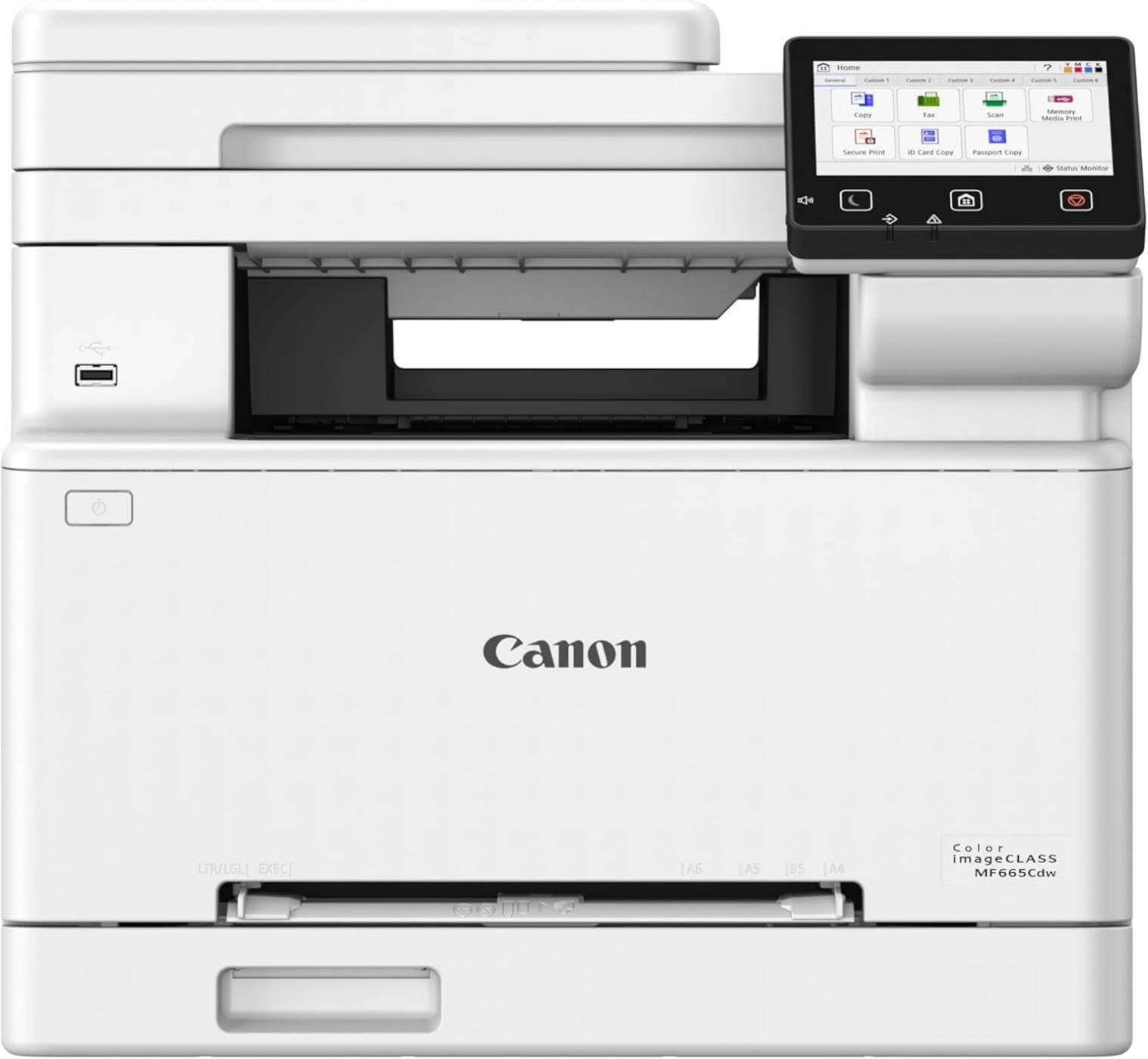
The Canon Color imageCLASS MF665Cdw is an excellent choice if you need a dependable laser printer that can handle everyday office tasks without slowing you down.
It combines printing, scanning, copying, and faxing in one machine, making it ideal for home offices, remote workers, and small businesses.
With fast print speeds, wireless connectivity, and automatic duplex features, this printer is built to improve productivity while delivering professional-quality results.
Standout Features
- Fast Color and Monochrome Printing: The MF665Cdw prints up to 26 pages per minute in both color and black-and-white, making it a great option for users who regularly print reports, invoices, presentations, and other business documents. Its quick first-page output also means you spend less time waiting.
- Automatic Duplex Printing and Scanning: This printer supports automatic two-sided printing and includes a 50-sheet duplex automatic document feeder (ADF). It can scan both sides of a document in a single pass, helping you save paper and complete large scanning or copying jobs much faster.
- Simple Wireless and Mobile Printing: You can print directly from your laptop, smartphone, or tablet using built-in Wi-Fi. It also supports the Canon PRINT app, Apple AirPrint, and Mopria, allowing you to print without connecting cables or installing complicated software.
- Large Paper Capacity for Busy Workloads: The built-in 250-sheet paper cassette reduces the need for frequent paper refills, making it ideal for users who print regularly. A separate multipurpose tray also lets you print envelopes, labels, or specialty paper when needed.
- Easy-to-Use 5-Inch Color Touchscreen: The large touchscreen offers a simple, intuitive interface that makes everyday tasks easy. You can customize shortcuts for frequently used functions, helping you complete printing, scanning, or copying jobs with just a few taps.
Pros
- Fast 26 ppm printing for both color and monochrome documents.
- Print, scan, copy, and fax in one device.
- Automatic duplex printing and one-pass duplex scanning.
- Reliable wireless and mobile printing support.
- Large paper capacity for higher productivity.
- User-friendly touchscreen interface.
- High-capacity toner reduces replacement frequency.
- Backed by a 3-year limited warranty.
Cons
- Larger footprint than most inkjet printers.
- Higher initial purchase price.
- Not designed for professional photo printing.
Best For
Small businesses, home offices, remote professionals, and anyone who prints documents regularly and wants a fast, reliable color laser printer.
Why We Recommend It
The Canon Color imageCLASS MF665Cdw offers an excellent balance of speed, convenience, and long-term value. Its fast laser printing, automatic duplex capabilities, wireless connectivity, and high paper capacity make it one of the best all-in-one Canon printers for productivity.
If your priority is efficient document printing with minimal maintenance, this model is one of the strongest investments you can make.
Click Here to Check Today’s Price on Amazon
2/ Canon PIXMA G3470 Colour 3-in-1
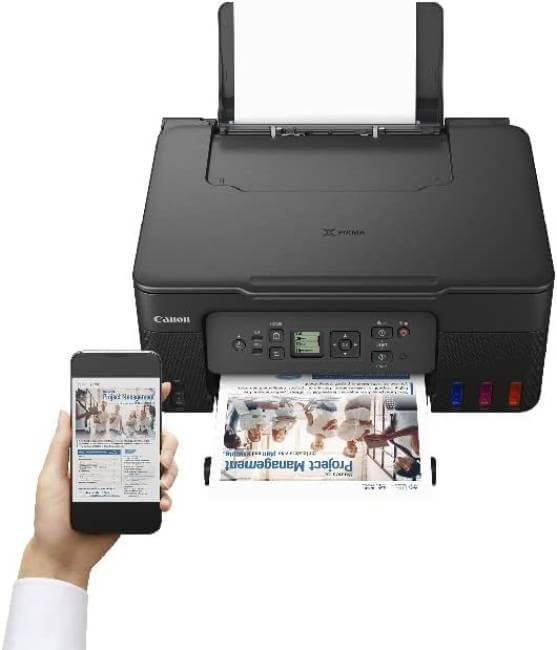
If keeping printing costs low is your top priority, the Canon PIXMA G3470 Colour 3-in-1 is one of the best options you can buy. This MegaTank printer is designed for home users, students, and small businesses that print frequently.
Instead of expensive ink cartridges, it uses refillable ink bottles, helping you print thousands of pages while significantly reducing long-term operating costs.
Standout Features
- Refillable MegaTank Ink System: The biggest advantage of the G3470 is its refillable ink tank design. It holds a large amount of ink, allowing you to print thousands of pages before needing a refill. This dramatically lowers the cost per page compared to traditional cartridge printers.
- Reliable Wireless Printing: Built-in Wi-Fi lets you print from laptops, smartphones, and tablets without connecting cables. It also supports Canon’s mobile printing solutions, making it easy to print documents or photos from almost anywhere in your home.
- Sharp Documents and Vibrant Photos: The printer delivers crisp text for everyday documents and produces bright, colorful images for school projects, family photos, and creative work. It offers excellent print quality considering its affordable running costs.
- Simple 3-in-1 Functionality: The G3470 combines printing, scanning, and copying in one compact machine. This makes it a practical choice for users who need multiple functions without taking up too much desk space.
- Easy-to-Use LCD Display: A 1.3-inch monochrome LCD screen provides quick access to printer settings and maintenance options. The simple interface makes everyday operation straightforward, even for first-time users.
Pros
- Extremely low printing costs with refillable MegaTank ink.
- Wireless printing from computers and mobile devices.
- Sharp document and high-quality color printing.
- Print, scan, and copy in one compact unit.
- Easy ink refilling with minimal mess.
- Compact design fits well in home offices.
Cons
- Slower print speeds than laser printers.
- No automatic duplex printing.
- Small LCD display compared to premium models.
Best For
Students, families, home users, remote workers, and anyone who wants low-cost, high-volume color printing.
Why We Recommend It
The Canon PIXMA G3470 delivers exceptional value by combining excellent print quality with one of the lowest running costs in Canon’s lineup.
Its refillable MegaTank system makes it ideal for users who print regularly, while wireless connectivity and all-in-one functionality add everyday convenience.
If you want an affordable printer that saves money over the long term, the G3470 is a smart investment.
Click Here to Check Today’s Price on Amazon
3/ Canon PIXMA G3430 Multi-function
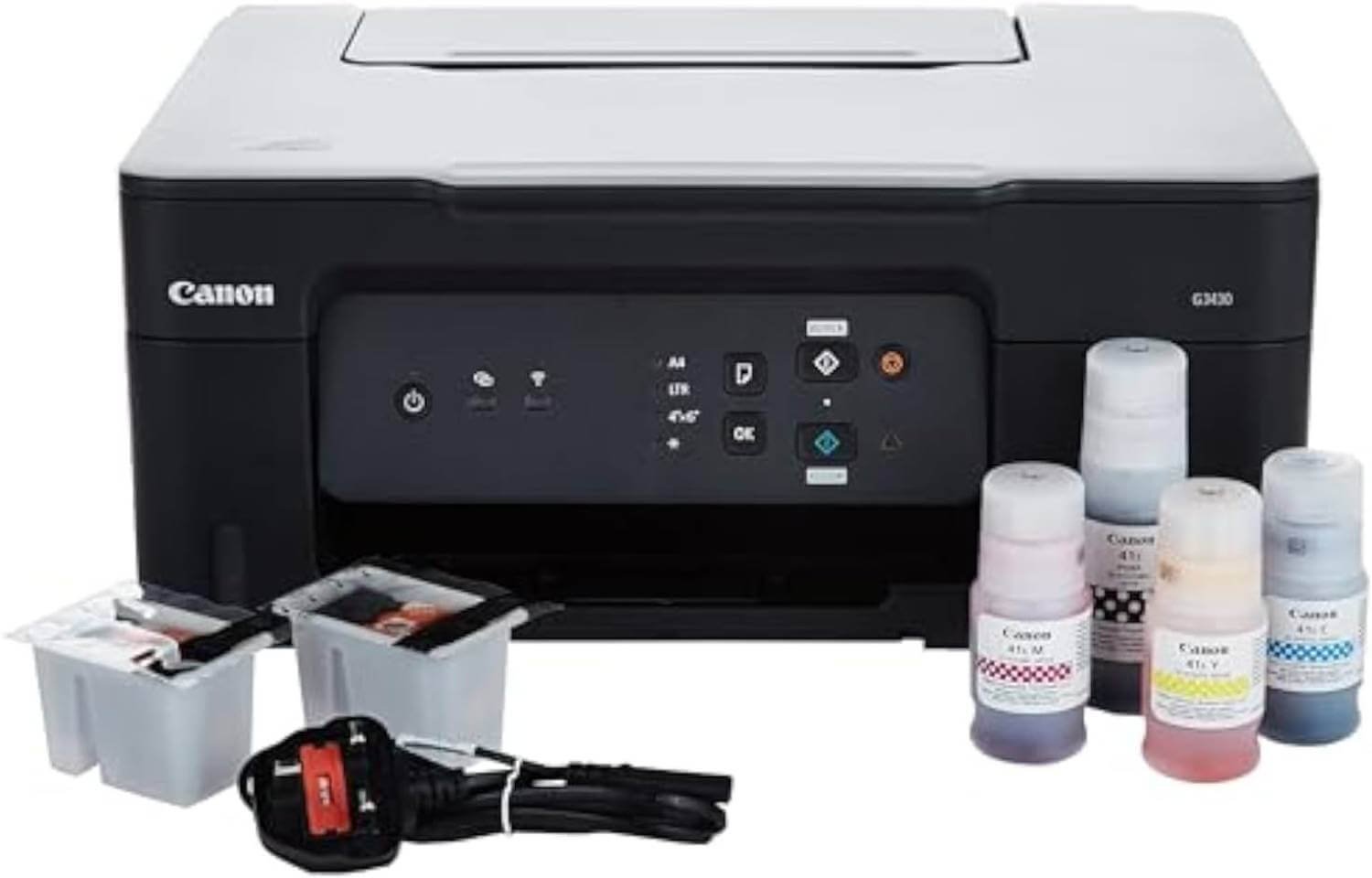
The Canon PIXMA G3430 is a practical all-in-one printer designed for everyday home and small office use.
It combines printing, scanning, and copying in a compact machine while using Canon’s refillable MegaTank ink system to keep printing costs low.
With wireless connectivity, good print quality, and support for multiple operating systems, it’s an excellent choice for users who want reliable performance without spending a fortune on ink.
Standout Features
- Low-Cost MegaTank Ink System: The G3430 features Canon’s refillable MegaTank design, allowing you to print thousands of pages before refilling the ink tanks. This significantly reduces long-term printing costs, making it ideal for households and users with frequent printing needs.
- Print, Scan, and Copy in One Device: Instead of purchasing separate devices, you get all the essential functions in a single compact printer. Whether you’re printing school assignments, scanning important documents, or making quick copies, the G3430 handles everyday tasks with ease.
- Wireless Printing and Mobile Support: Built-in Wi-Fi lets you print directly from laptops, smartphones, and tablets without using cables. You can also use the Canon PRINT app to print and copy from your mobile device, adding extra convenience for everyday use.
- High-Quality Prints with Large Paper Capacity: The printer produces sharp documents and vibrant color photos while supporting a 100-sheet rear paper tray, allowing you to handle larger print jobs without constantly reloading paper.
- Compatible with Multiple Operating Systems: The PIXMA G3430 works seamlessly with Windows, macOS, and ChromeOS, making it easy to integrate into almost any home or office setup regardless of the devices you use.
Pros
- Very low running costs with refillable MegaTank ink.
- Print, scan, and copy in one compact printer.
- Wireless printing with Canon PRINT app support.
- Produces sharp documents and vibrant color photos.
- Large 100-sheet paper capacity.
- Compatible with Windows, macOS, and ChromeOS.
- Backed by a 2-year warranty.
Cons
- No automatic duplex printing.
- Print speed is slower than laser printers.
- Small display with basic controls.
Best For
Families, students, home offices, remote workers, and anyone looking for an affordable all-in-one printer with low printing costs.
Why We Recommend It
The Canon PIXMA G3430 offers an excellent combination of affordability, print quality, and long-term savings.
Its refillable MegaTank system keeps operating costs low, while wireless printing and 3-in-1 functionality make it convenient for daily use.
If you need a dependable printer for home or light office work, the G3430 provides outstanding value for the price.
Click Here to Check Today’s Price on Amazon
4/ Canon i-SENSYS MF3010
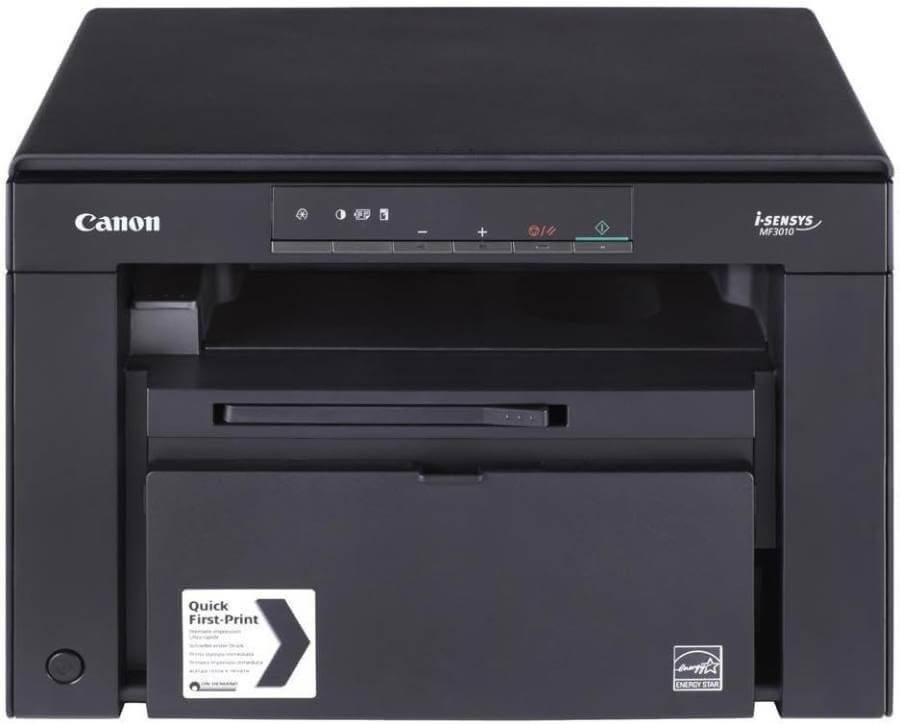
If your printing needs are focused mainly on black-and-white documents, the Canon i-SENSYS MF3010 is a reliable and budget-friendly laser printer worth considering.
Designed for home offices, students, and small businesses, it combines printing, scanning, and copying in a compact device. Its laser technology delivers crisp text, fast performance, and lower maintenance compared to many entry-level inkjet printers.
Standout Features
- Fast Monochrome Laser Printing: The MF3010 prints at speeds of up to 18 pages per minute, making it well-suited for invoices, contracts, reports, and other everyday documents. It also produces the first page in as little as 7.8 seconds, helping you complete print jobs quickly.
- 3-in-1 Functionality: This printer combines printing, scanning, and copying in one compact machine. Instead of buying separate devices, you get all the essential office functions while saving valuable desk space.
- Sharp, Professional Text Quality: Thanks to its laser printing technology, the MF3010 produces crisp, smudge-resistant text that looks professional on every page. It’s an excellent choice for business documents, forms, and school assignments where clarity matters.
- Energy-Efficient Operation: The printer is designed to consume less power during operation and standby mode, helping reduce electricity costs over time. It’s a practical option for users who print regularly without significantly increasing energy consumption.
- Simple Setup and Easy Operation: With its straightforward USB connectivity and user-friendly controls, the MF3010 is easy to install and operate. Even first-time users can get started quickly without dealing with complicated settings or wireless configuration.
Pros
- Fast 18 ppm monochrome laser printing.
- Print, scan, and copy in one device.
- Crisp, professional-quality black-and-white documents.
- Quick first-page output in about 7.8 seconds.
- Energy-efficient operation.
- Compact design for small workspaces.
- Low maintenance compared to inkjet printers.
Cons
- Prints in black and white only.
- No built-in Wi-Fi for wireless printing.
- Does not support automatic duplex printing.
- Not suitable for photo or color printing.
Best For
Students, home offices, accountants, small businesses, and users who primarily print black-and-white documents.
Why We Recommend It
The Canon i-SENSYS MF3010 is a dependable laser printer that focuses on what matters most—fast, high-quality monochrome printing.
Its 3-in-1 functionality, sharp text output, and energy-efficient design make it an excellent option for users who don’t need color printing.
If your daily workload consists mainly of documents rather than photos, this printer offers outstanding value and reliable performance.
Click Here to Check Today’s Price on Amazon
5/ Canon SELPHY CP1500 Compact
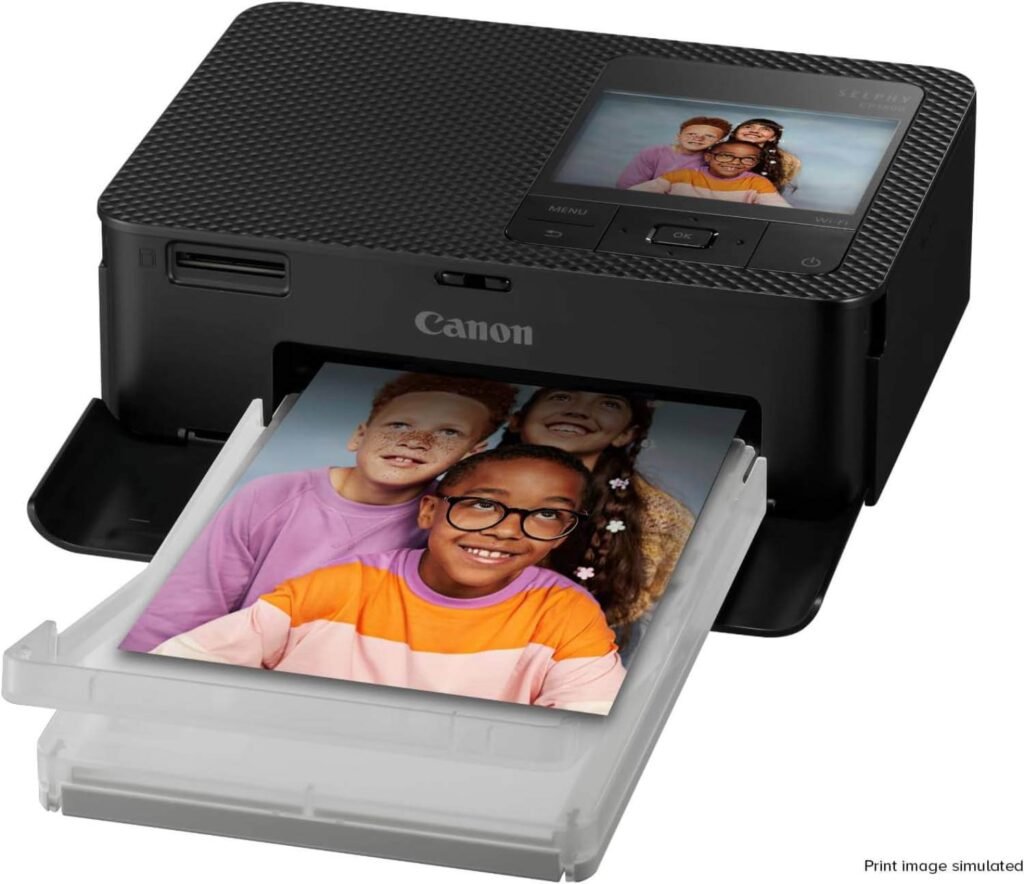
The Canon SELPHY CP1500 is a compact photo printer designed for people who want high-quality photo prints without visiting a photo lab. Using dye-sublimation technology, it produces vibrant, detailed, and long-lasting prints in just minutes.
Its lightweight design, wireless connectivity, and easy operation make it an excellent choice for families, travelers, photographers, and anyone who enjoys preserving memories.
Standout Features
- Lab-Quality Dye Sublimation Printing: Unlike standard inkjet printers, the SELPHY CP1500 uses dye-sublimation technology to produce sharp, vibrant, and highly detailed photos. The prints feature smooth color gradients and a professional finish that’s perfect for albums, frames, and keepsakes.
- Portable Design for Printing Anywhere: Weighing only 1.58 kg, the SELPHY CP1500 is easy to carry wherever you go. Pair it with the optional battery pack, and you can print photos at family gatherings, vacations, weddings, parties, or other special events without needing a power outlet.
- Long-Lasting, Water-Resistant Prints: Your printed photos dry instantly and are protected against water, fingerprints, and fading. Canon states that properly stored prints can maintain their quality for up to 100 years, making them ideal for preserving treasured memories.
- Multiple Connectivity Options: The printer supports Wi-Fi, USB, and memory cards, allowing you to print directly from smartphones, tablets, cameras, computers, USB flash drives, and SD cards. This flexibility makes sharing and printing photos quick and convenient.
- Large 3.5-Inch Color Display: The built-in 3.5-inch LCD screen lets you preview, crop, edit, and apply simple filters like black-and-white or sepia before printing. The intuitive interface makes it easy to get the perfect photo without using a computer.
Pros
- Produces vibrant, lab-quality photo prints.
- Compact and lightweight for easy portability.
- Wireless printing from smartphones and other devices.
- Photos dry instantly and resist water and fingerprints.
- Supports Wi-Fi, USB, memory cards, and USB flash drives.
- Large 3.5-inch screen for easy editing and previewing.
- Simple setup and user-friendly operation.
Cons
- Designed exclusively for photo printing.
- Slower print speed than standard document printers.
- Requires specialty photo paper and dye-sublimation cartridges.
Best For
Photography enthusiasts, families, travelers, scrapbook creators, and anyone who wants high-quality photo prints at home or on the go.
Why We Recommend It
The Canon SELPHY CP1500 is one of the best compact photo printers available for producing beautiful, long-lasting prints with minimal effort.
Its dye-sublimation technology delivers exceptional image quality, while wireless connectivity and its portable design make printing memories incredibly convenient.
If your priority is stunning photo prints rather than everyday documents, the SELPHY CP1500 is an excellent
Click Here to Check Today’s Price on Amazon
6/ Canon Selphy CP1500 Smart
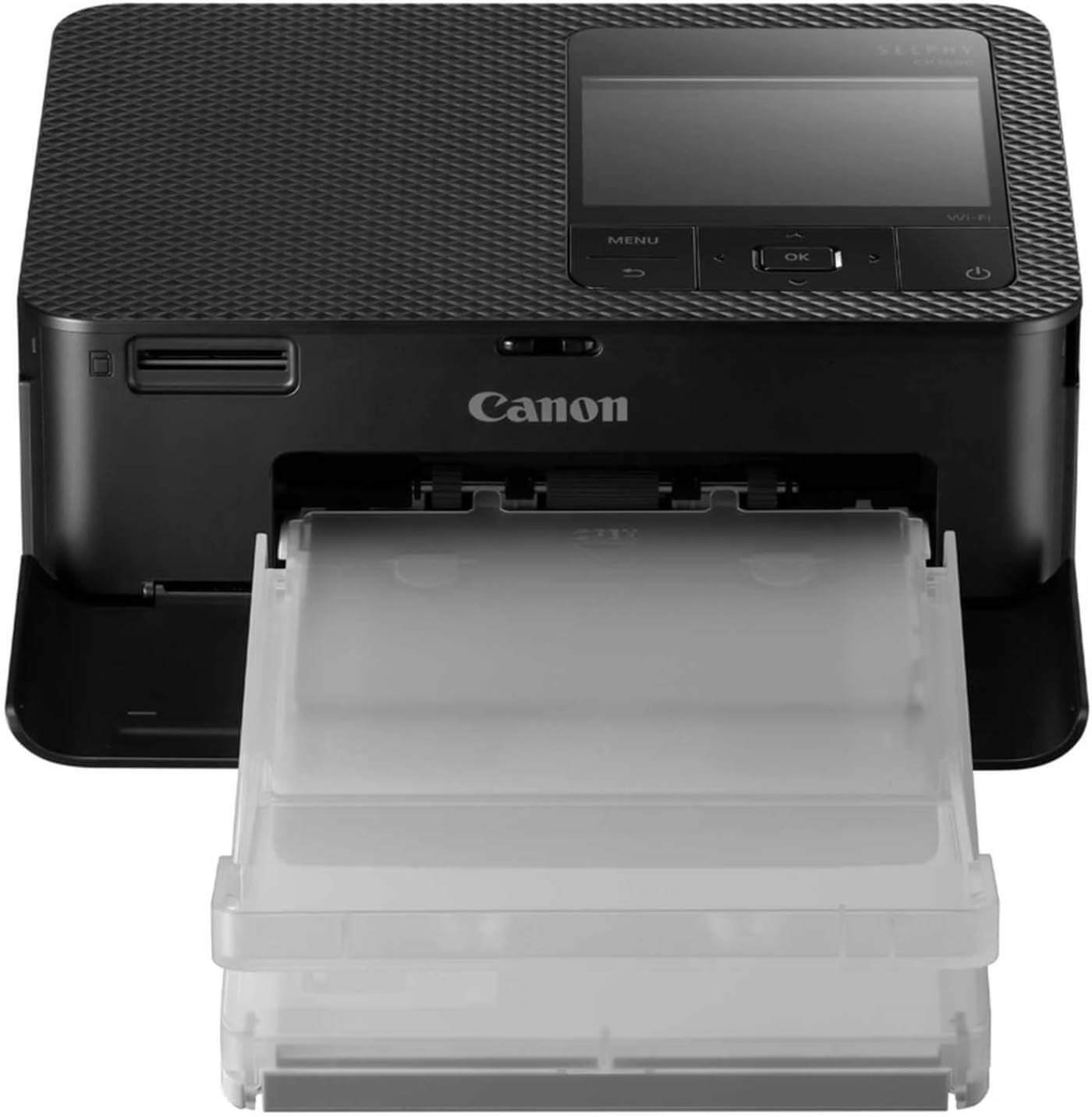
The Canon Selphy CP1500 Smart is a portable photo printer built for users who want to print high-quality photos directly from their smartphones, tablets, or cameras.
Its lightweight design, wireless connectivity, and dye-sublimation printing technology make it a perfect companion for travel, family events, and creative projects.
If you love capturing memories and turning them into physical prints, this compact printer delivers excellent results with minimal effort.
Standout Features
- Professional Dye-Sublimation Photo Printing: The Selphy CP1500 Smart uses dye-sublimation technology to produce vibrant colors, smooth gradients, and sharp details that closely resemble professional photo lab prints. Every print comes with a protective coating that helps preserve image quality over time.
- Lightweight and Travel-Friendly Design: Weighing only 850 grams, this printer is incredibly portable. Its compact size makes it easy to carry in a backpack or travel bag, allowing you to print photos almost anywhere, whether you’re on vacation, attending a party, or visiting family.
- Wireless Printing with Smartphone Support: Built-in Wi-Fi lets you print directly from your smartphone, tablet, or computer without using cables. The SELPHY Photo Layout App makes it easy to edit, arrange, and customize your photos before printing, giving you more creative control.
- Long-Lasting Photo Quality: Canon’s protective coating helps shield each print from water, fingerprints, and fading. Under proper storage conditions, your photos can maintain their color quality for up to 100 years, making them ideal for albums and keepsakes.
- Multiple Connection Options: In addition to Wi-Fi, the printer supports USB-C connectivity and memory cards, making it easy to print photos from cameras, laptops, smartphones, and other compatible devices without complicated setup.
Pros
- Produces beautiful, lab-quality photo prints.
- Extremely lightweight and easy to carry.
- Wireless printing from smartphones and tablets.
- USB-C provides modern, convenient connectivity.
- Supports memory card printing without a computer.
- Long-lasting, water-resistant photo prints.
- Easy-to-use SELPHY Photo Layout App.
Cons
- Designed only for photo printing.
- Not suitable for printing office documents.
- Slower printing compared to traditional document printers
Best For
Travelers, photography enthusiasts, families, content creators, scrapbook makers, and anyone who wants to print high-quality photos directly from mobile devices.
Why We Recommend It
The Canon Selphy CP1500 Smart combines outstanding photo quality with excellent portability. Its lightweight design, wireless printing capabilities, and easy-to-use mobile app make it one of the best portable photo printers for everyday users.
If you want a convenient way to create durable, vibrant photo prints without visiting a photo lab, the Selphy CP1500 Smart is a fantastic choice.
Click Here to Check Today’s Price on Amazon
7/ Epson FastFoto FF-680W
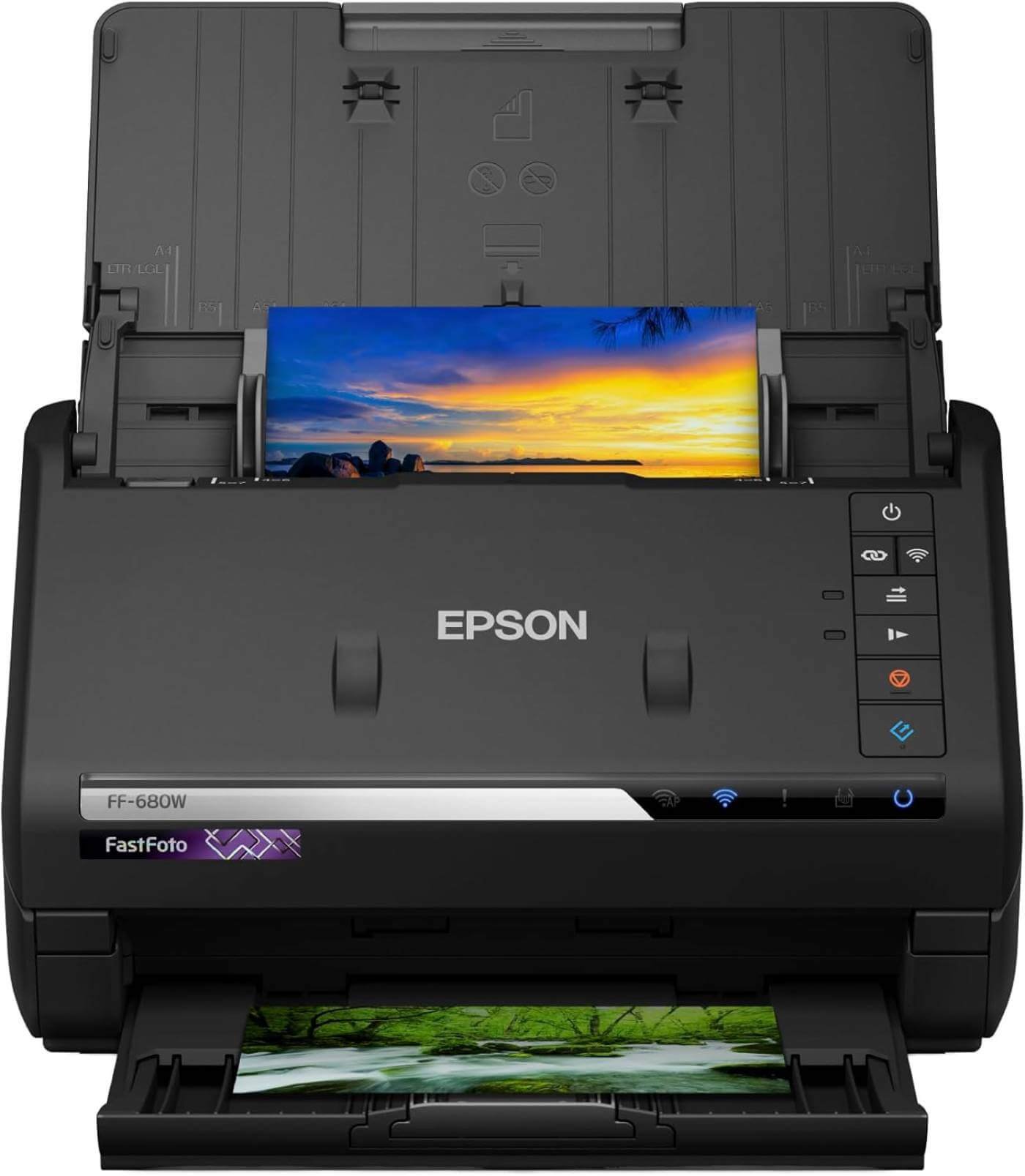
The Epson FastFoto FF-680W is not a traditional printer, but it’s an excellent companion for anyone looking to preserve old photographs and important documents.
Designed for speed and convenience, this high-performance scanner can digitize large photo collections in minutes while automatically enhancing image quality.
If you’re organizing family memories, creating digital archives, or backing up important paperwork, the FastFoto FF-680W is one of the best scanners available.
Standout Features
- Ultra-Fast Photo Scanning: The FastFoto FF-680W can scan up to 30 photos in just 30 seconds using its automatic document feeder. This makes it perfect for digitizing large photo albums or family collections without spending hours scanning one image at a time.
- Automatic Photo Enhancement: Epson’s software automatically crops, rotates, and enhances colors and contrast, helping restore old or faded photographs with minimal manual editing. It saves time while producing cleaner, more vibrant digital copies.
- Flexible File Format Options: You can save scanned images as JPEG files for easy sharing or choose high-quality TIFF files for long-term archiving and professional editing. This flexibility makes the scanner suitable for both casual users and photography enthusiasts.
- Easy Cloud Sharing and Backup: The scanner supports automatic uploads to Dropbox and Google Drive, allowing you to back up precious memories and access them from multiple devices without manually transferring files.
- Scans Multiple Sizes and Documents: From small 9 × 13 cm photos to panoramic prints measuring up to 21 × 91 cm, the FastFoto FF-680W handles a wide variety of photo sizes. It also scans important documents, receipts, and paperwork, making it a versatile digitization tool.
Pros
- Extremely fast photo and document scanning.
- Automatic cropping, rotation, and color enhancement.
- Supports both JPEG and TIFF output formats.
- Easy cloud backup with Dropbox and Google Drive.
- Handles multiple photo sizes and documents.
- Automatic document feeder improves productivity.
- Compatible with both Windows and macOS.
Cons
- Scanner only—does not print, copy, or fax.
- Higher price than standard flatbed scanners.
- Designed primarily for photo and document archiving.
Best For
Families preserving old photo albums, photographers, genealogy enthusiasts, scrapbook creators, and anyone who needs to digitize large collections of photos or documents quickly.
Why We Recommend It
The Epson FastFoto FF-680W is one of the fastest and most capable photo scanners on the market. Its high-speed scanning, automatic image enhancement, and cloud integration make preserving valuable memories effortless.
While it isn’t a printer, it’s an outstanding addition for anyone who wants to create a digital archive of cherished photos and important documents with professional-quality results.
Click Here to Check Today’s Price on Amazon
Which Canon Printer Is Best for Different Needs?
The best Canon printer depends on how you plan to use it. Some models are built for high-volume document printing, while others focus on producing stunning photos or keeping long-term printing costs low.
Below are the best Canon printers based on different user needs to help you make the right choice.
Best for Home Use
The Canon PIXMA G3430 is an excellent choice for everyday home printing. It combines printing, scanning, and copying in one compact device while using Canon’s refillable MegaTank system to keep ink costs low. Whether you’re printing school assignments, family photos, or household documents, it offers dependable performance and great value.
Best for High-Volume Printing
The Canon PIXMA G3470 Colour 3-in-1 is designed for users who print frequently. Its refillable MegaTank ink system dramatically lowers the cost per page, allowing you to print thousands of pages before needing more ink. It’s a smart investment for students, families, and small businesses with heavy printing needs.
Best for Photo Printing
For users who primarily print photographs, the Canon SELPHY CP1500 Compact delivers exceptional image quality. Its dye-sublimation technology produces vibrant, lab-quality prints that are water-resistant and designed to last for decades, making it perfect for photo albums, gifts, and keepsakes.
Best Portable Photo Printer
If you want to print photos while traveling or attending events, the Canon Selphy CP1500 Smart is the better option. Its lightweight design, wireless connectivity, USB-C support, and mobile app integration make printing directly from your smartphone quick and convenient wherever you are.
Best Monochrome Document Printer
The Canon i-SENSYS MF3010 is an excellent solution for users who only need black-and-white printing. Its laser technology delivers sharp text, fast printing speeds, and low maintenance, making it a great fit for offices, students, and professionals who mainly print documents.
Best Budget Canon Printer
The Canon PIXMA G3430 offers one of the best balances between price, performance, and long-term savings. While its upfront cost is affordable, the refillable MegaTank system keeps operating expenses low, making it one of the most cost-effective Canon printers available.
Best for Small Businesses
Small businesses that require fast, dependable printing should choose the Canon Color imageCLASS MF665Cdw. Its 4-in-1 functionality, large paper capacity, high-capacity toner, and wireless connectivity allow it to handle daily office workloads with ease while maintaining professional print quality.
Inkjet vs Laser Canon Printers
Choosing between an inkjet and a laser printer is one of the biggest decisions you’ll make when buying a Canon printer. While both can produce excellent results, they’re designed for different types of users.
Understanding their strengths and limitations will help you choose a printer that matches your workload and budget.
Inkjet Canon Printers
Canon’s inkjet printers, including the popular PIXMA and MegaTank series, are designed for versatility. They can produce vibrant color documents and detailed photos while handling everyday printing tasks with ease.
MegaTank models are especially cost-effective because they use refillable ink tanks instead of traditional cartridges, making them ideal for users who print frequently.
Inkjet printers are best suited for families, students, home users, photographers, and small businesses that need both document and photo printing.
They typically have a lower purchase price, but standard cartridge models may have higher ink costs over time if you print regularly.
Laser Canon Printers
Canon laser printers are built for speed, efficiency, and professional document printing.
They use toner instead of liquid ink, allowing them to print sharp black-and-white or color documents quickly with minimal maintenance. Laser printers are also better equipped to handle higher monthly print volumes.
They’re an excellent choice for offices, remote workers, and businesses that print contracts, reports, invoices, and other text-heavy documents every day.
Although laser printers usually cost more upfront, toner lasts much longer than ink cartridges, reducing replacement frequency.
Which One Should You Pick?
The right choice depends on your printing habits. If you regularly print photos, colorful graphics, school projects, or creative materials, a Canon inkjet printer is the better option because it offers superior color accuracy and lower initial costs.
If your workload mainly consists of business documents and you need faster printing with lower maintenance, a Canon laser printer is the smarter investment.
For most home users, a Canon MegaTank inkjet printer provides the best balance of affordability, print quality, and long-term savings.
However, if you’re running a busy home office or small business with high document volume, a Canon laser printer will deliver better productivity and long-term efficiency.
Wireless Printing Features You Should Consider
Wireless connectivity has become a standard feature in modern printers, making it easier than ever to print from multiple devices without dealing with cables. However, not all wireless features are the same. Before buying a Canon printer, consider the following capabilities to ensure it offers the convenience and flexibility you need.
- Built-in Wi-Fi: A printer with built-in Wi-Fi allows multiple users to connect over the same network. This makes it easy to print from laptops, desktops, smartphones, and tablets anywhere within your home or office.
- Mobile Printing Support: Look for compatibility with the Canon PRINT app, Apple AirPrint, and Mopria Print Service. These features let you print directly from your mobile device without transferring files to a computer first.
- Wi-Fi Direct: Wi-Fi Direct allows your smartphone or laptop to connect directly to the printer without needing a wireless router. It’s especially useful when traveling or working in locations without an existing Wi-Fi network.
- Cloud Printing Integration: Some Canon printers support cloud services, allowing you to print documents and photos stored in platforms like Google Drive or Dropbox. This makes accessing files more convenient, even when you’re away from your primary computer.
- Multi-Device Compatibility: Choose a printer that works seamlessly with Windows, macOS, ChromeOS, Android, and iOS. Broad compatibility ensures everyone in your home or office can print regardless of the device they use.
- Wireless Security: Secure wireless features help protect your printer from unauthorized access. Support for password-protected Wi-Fi networks and encrypted connections adds an extra layer of security, especially in shared office environments.
- Remote Printing Convenience: Some wireless Canon printers allow you to send print jobs from another room or even while you’re away from home through supported apps and cloud services, giving you greater flexibility in managing your printing tasks.
How to Reduce Printing Costs with Canon Printers
Printing expenses can add up quickly, especially if you regularly print documents, school assignments, or photos. Fortunately, Canon offers several features and smart printing options that can significantly lower your long-term costs.
By following a few simple practices, you can save money without sacrificing print quality.
Choose a MegaTank Printer for Frequent Printing
If you print regularly, consider a Canon MegaTank printer instead of a traditional cartridge-based model. MegaTank printers use refillable ink bottles that deliver thousands of pages per refill, resulting in a much lower cost per page and fewer interruptions for ink replacement.
Enable Automatic Duplex Printing
If your Canon printer supports automatic duplex printing, use it whenever possible. Printing on both sides of the paper reduces paper consumption by up to 50%, helping lower supply costs while also reducing waste.
Print in Draft Mode When High Quality Isn’t Needed
For internal documents, notes, or rough drafts, switch to Draft or Economy mode. This setting uses less ink or toner while still producing readable documents, making it an easy way to extend the life of your supplies.
Use Genuine Canon Ink or Toner
Although third-party supplies may seem cheaper, genuine Canon ink bottles and toner cartridges are designed to work efficiently with Canon printers. They often provide more consistent print quality, better page yields, and help reduce the risk of printhead damage or maintenance issues.
Perform Regular Printer Maintenance
Keeping your printer clean and running properly prevents clogged printheads, paper jams, and wasted ink during repeated cleaning cycles. Running maintenance only when necessary also helps preserve ink and improve overall printer performance.
Buy Supplies in High-Yield or Multi-Pack Options
If your printer supports high-capacity toner or larger ink bottle packs, purchasing them can reduce the cost per page compared to buying standard replacements. This is especially beneficial for users with high monthly printing volumes.
Match the Printer to Your Printing Needs
One of the best ways to reduce printing costs is to choose the right printer from the beginning. If you print large volumes, a Canon MegaTank or laser printer will usually offer much lower operating costs than an entry-level cartridge printer, saving you money throughout the printer’s lifespan.
Common Printer Problems and Easy Solutions
Even the best Canon printers can experience occasional issues, especially with frequent use. Fortunately, most common printer problems can be resolved in just a few minutes without professional assistance.
Knowing these simple troubleshooting steps can help you get back to printing quickly.
Printer Won’t Print
If your printer isn’t printing, first check that it’s powered on and properly connected to your computer or Wi-Fi network.
Also, make sure there are no pending error messages, paper jams, or empty ink or toner cartridges. Restarting both the printer and your device often resolves minor connection issues.
Poor Print Quality
Faded text, streaks, or blurry images are usually caused by clogged printheads, low ink, or worn toner cartridges.
Run the printer’s built-in cleaning or maintenance cycle and replace any empty supplies if necessary. Using genuine Canon ink or toner can also improve print quality.
Paper Jams
Paper jams often happen when paper is loaded incorrectly or damaged. Remove the jammed paper carefully without tearing it, then reload fresh paper and ensure the guides are properly aligned. Avoid overfilling the paper tray to reduce future jams.
Wireless Connection Problems
If your printer loses its Wi-Fi connection, restart your router and printer, then reconnect it to the wireless network.
Make sure the printer is within range of the router and that you’re connected to the correct Wi-Fi network. Updating the printer’s firmware may also improve connection stability.
Printer Prints Too Slowly
Slow printing may occur when using high-quality print settings or printing large image files. Switching to Standard or Draft mode for everyday documents can significantly improve print speed.
Closing unnecessary applications on your computer may also help process print jobs more efficiently.
Scanner Isn’t Working
If the scanner isn’t responding, verify that the printer drivers and scanning software are installed correctly.
Reconnecting the USB cable or re-establishing the wireless connection often resolves communication issues. Restarting the printer and computer can also fix temporary software glitches.
Ink or Toner Runs Out Quickly
Frequent printing in high-quality mode consumes more ink or toner. Using Draft mode for routine documents, enabling duplex printing, and selecting a MegaTank or high-yield toner model can help reduce long-term printing costs while extending the life of your supplies.
FAQs and Answers
Choosing the right Canon printer often raises questions about performance, running costs, and the best model for specific needs. Below are answers to some of the most common questions buyers ask before making a purchase.
Which is the best Canon all-in-one printer overall?
The Canon Color imageCLASS MF665Cdw is the best overall choice for most users. It offers fast color laser printing, automatic duplex printing and scanning, wireless connectivity, and 4-in-1 functionality, making it ideal for home offices and small businesses.
Which Canon printer is best for home use?
The Canon PIXMA G3430 is an excellent option for home users. It provides printing, scanning, and copying in one compact device while using Canon’s refillable MegaTank system to keep long-term printing costs low.
Are Canon MegaTank printers worth buying?
Yes. Canon MegaTank printers are a great investment for anyone who prints frequently. Their refillable ink tanks deliver thousands of pages per refill, significantly reducing the cost per page compared to traditional cartridge-based printers.
Which Canon printer is best for photo printing?
The Canon SELPHY CP1500 is one of the best Canon printers for photo printing. Its dye-sublimation technology produces vibrant, lab-quality prints that are water-resistant and designed to last for decades.
Conclusion
Choosing the best Canon all-in-one printer ultimately comes down to your printing needs, budget, and how often you plan to use it.
If you need fast, professional document printing for a home office or small business, the Canon Color imageCLASS MF665Cdw is an outstanding choice.
For users who want to minimize long-term printing costs, the PIXMA MegaTank models like the G3470 and G3430 offer exceptional value with their refillable ink systems. Meanwhile, photography enthusiasts will appreciate the impressive image quality of the Canon SELPHY CP1500 series.
Before making your final decision, consider factors such as print volume, wireless features, scanning capabilities, and ongoing ink or toner costs.
